What UPI QR Code Generator does, and when you need it
UPI QR Code Generator makes a QR code for your UPI ID that anyone can scan with Google Pay, PhonePe, Paytm, BHIM or their bank's app to pay you. You can fill in an amount and a note, add a logo, and get a card ready to print, with "Scan and pay", your name and your UPI ID. It is made in your browser: nothing you type is uploaded, there is no sign-up, and the money goes straight from the payer's bank to yours. We never see it.
People use it when:
- A small shop, a stall or a tutor wants customers to pay by scanning, with a neat card on the counter.
- A bill has an exact amount, such as a fee, rent or a share of a trip, and the payer shouldn't have to type it; the Split Bill Calculator and the Fuel Cost Calculator work out such shares.
- A collection needs one code, for a society's maintenance, a temple's donations or a class fund.
- An invoice or a WhatsApp message should carry a code the other person can pay from.
For a QR code of anything else, such as a link, a Wi-Fi network or a contact card, use QR Code Generator.
How it works
A UPI QR code holds a short payment link in the format every UPI app understands, which starts upi://pay. The page writes your details into it:
- pa, the payee address: your UPI ID.
- pn, the payee name: the name you type.
- am, the amount, if you typed one, with two decimals.
- cu, the currency: INR.
- tn, the note, if you typed one.
Then it draws the QR code from that link with the same encoder as our QR Code Generator. When someone scans it, their UPI app reads the link and opens a payment to your UPI ID with the amount and note filled in. They check it, type their UPI PIN, and the money moves between the two banks. The code itself holds no account number and no password, and the page is never part of the payment.
Real results from our tests
We made these codes with this page in Chromium 148, the open-source browser Google Chrome is built on, on a Windows 11 laptop, on 31 October 2026, with a made-up UPI ID, saved each PNG, and had OpenCV's QR reader, which shares no code with the page, read every one back and compared it with the payment link the page showed.
| What we made | Size of the code | Read back | What happened |
|---|---|---|---|
| An open amount: UPI ID and name only | Version 4: 33 × 33 squares | Exactly: upi://pay?pa=asha.verma%40okaxis&pn=Asha%20Verma&cu=INR | The payer types the amount |
| ₹1,500 with a note | Version 6: 41 × 41 squares | Exactly, with am=1500.00 and the note | Amount and note filled in for the payer |
| An open amount with a logo | Version 6: 41 × 41 squares, error correction High | Exactly | High error correction rebuilt the part the logo covers |
| The card to print, ₹1,500 | Version 6: 41 × 41 squares, on a card of 1024 × 1485 pixels | Exactly, read from the whole card | Ready for the counter: the code reads with the words around it |
What the numbers mean: all 4 codes held exactly the payment link the page showed, so any app that reads a UPI QR code gets the same details: your UPI ID, your name, and the amount and note if you set them. The amount is always written with two decimals, as UPI expects. Each PNG was saved 0.2 to 0.3 seconds after pressing Download. A scanner reading the code is not a payment: the ₹1 test below is the check that the money reaches you.
On a first visit the page downloads about 0.1 MB for the tool: the page, its styles, its scripts and the fonts, with Google's ad code not counted.
Step by step
- Type your UPI ID, such as yourname@okaxis or 9876543210@ybl, exactly as your UPI app shows it.
- Type the name payers should see, such as your name or your shop's.
- Add an amount and a note if you like, or leave the amount empty so the payer types it.
- Choose the picture: a card to print, with Scan and pay, your name and your UPI ID, or the QR code alone. Add a logo if you like.
- Test it, then press Download the card, or QR code alone, or Copy the link to share the payment link itself.

Finding your UPI ID
Your UPI ID is shown in your UPI app's profile, often under UPI ID, or next to your own QR code under a name like My QR. It looks like a name or a phone number, an @ and the app's or bank's handle. Some common handles:
| App | UPI IDs often end in |
|---|---|
| Google Pay | @okaxis, @okhdfcbank, @okicici, @oksbi |
| PhonePe | @ybl, @ibl, @axl |
| Paytm | @ptyes, @ptaxis, @pthdfc, @ptsbi, or @paytm on older IDs |
| BHIM | @upi |
Copy it from the app rather than typing it from memory: one wrong letter sends a payer to someone else's ID, or to none. The page checks the ID has the right shape, but only your app knows it is yours.
Fixed amount or open
- With an amount, the payer's app opens with it filled in. Use it for an exact bill: a ₹1,500 fee, a month's rent, or ₹850 each for a trip. Many apps don't let the payer change it.
- Without one, the payer types the amount. Use it for a shop counter, donations or anything that changes.
The page takes amounts up to ₹1,00,000, with at most two decimals, which is the usual limit for one UPI payment. Commas and the ₹ sign are fine to type. Make a new code for each new amount: a printed code with a fixed amount can't be changed.
The card to print
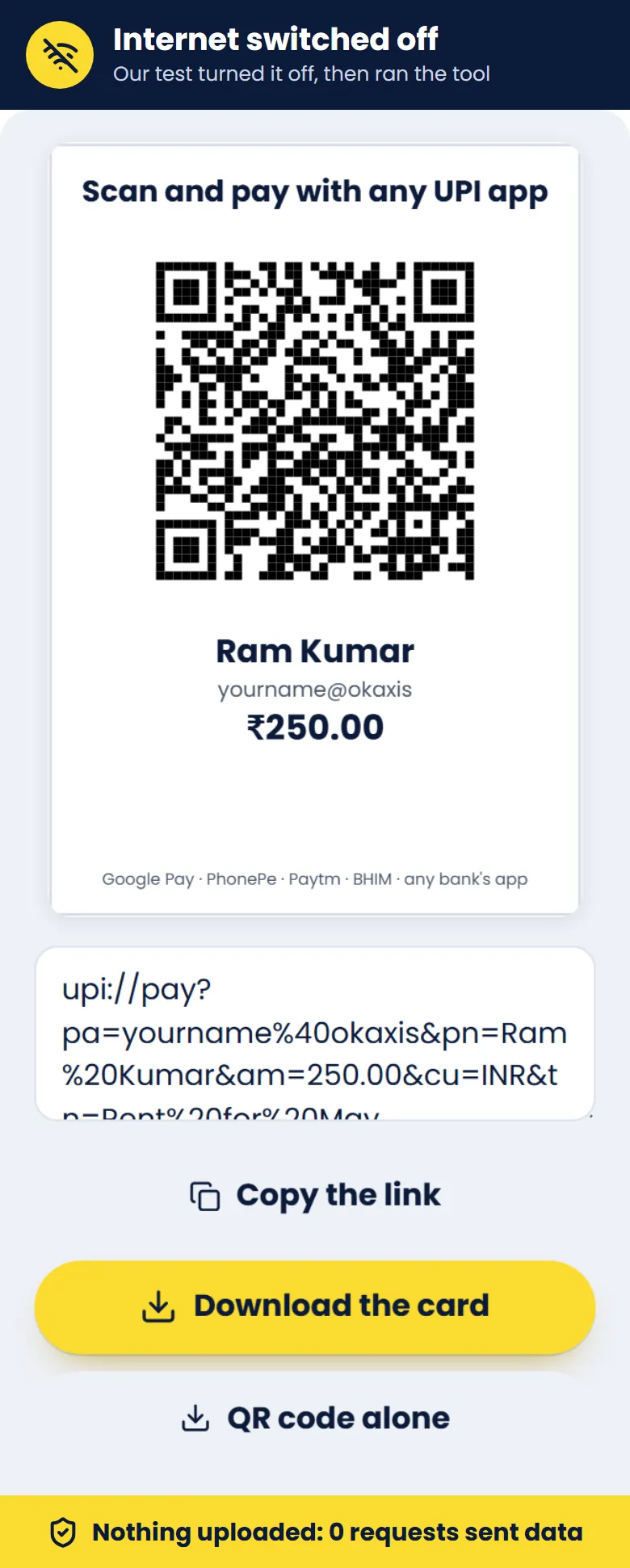
With A card to print chosen, the page draws a white card with "Scan and pay with any UPI app" at the top, the QR code, your name in large letters, your UPI ID under it, the amount if there is one, and a line naming Google Pay, PhonePe, Paytm, BHIM and any bank's app at the foot. Customers know at a glance what it is and that their app works.
Download the card saves it as a PNG, taller than it is wide, ready to print on A6 or A5 paper or to send on WhatsApp. QR code alone saves just the code, for your own design, a bill or a website.
The note
A note such as "Rent for May" or "Class 8 fees" appears in the payer's app with the payment and usually stays in both people's payment history, which helps both sides match it later. Keep it short and plain; the payer can often change it before paying. A note makes the code a little denser, so leave it out of codes printed very small.
For a shop or a stall
A printed code from your own UPI ID works at once, with no application or fee. A few things help at a counter:
- Leave the amount empty, so one card works for every bill.
- Use the shop's name in the name box, so customers know they are paying the right place.
- Check each payment in your own app or bank's messages, not on the customer's screen.
A shop taking many payments a day may want what the payment apps' business accounts add: payment alerts read out on a speaker, daily statements and settlement reports. Those come from the apps and banks; a code made here is the simple start.
Paying by UPI from a bank account costs the payer nothing, and a code made here adds no charge of any kind.
When your details change
A code holds your UPI ID itself, so it keeps sending money to that ID for as long as the ID works. If you move to a new bank account, a new app or a new UPI ID, make a new code at once and replace every printed copy: on the counter, the delivery bags, the bills and the shop's WhatsApp profile. Collect the old cards rather than leaving them up, and tell regular customers that the code has changed, so nobody pays an ID you no longer check.
On an invoice or a bill
For an invoice, make a code with that invoice's amount and a note naming it, such as "Invoice 2026-114", and download QR code alone. Put the PNG in the invoice in Word, Excel or Google Docs, at least 3 cm across, near the total; if the invoice adds GST, the GST Calculator works out that total, with the CGST and SGST, before you make the code. The customer scans it, and the note in both payment histories ties the payment to the invoice. A PDF of the invoice keeps the code sharp; Word to PDF makes one.
Collections for a society, a temple or a class
For money collected from many people, make one code with an open amount and a note naming the collection, such as "Diwali fund 2026", and share it in the group. Ask everyone to type their flat number or name in the note before paying, so the treasurer can match payments from the bank's history. Use the treasurer's or the society's own account, never a personal one that isn't meant for it.
Staying safe from payment scams
- You never scan a code or type your UPI PIN to receive money. A PIN is only for paying. Anyone who asks you to scan a code "to receive" a payment or a refund is trying to take money.
- Check printed codes now and then. Fraudsters sometimes stick their own code over a shop's. Make sure the name payers see is yours.
- Trust your bank, not screenshots. A "payment done" screen can be faked; the money is in only when your own app or bank says so.
- A UPI ID is safe to share. It lets people pay you, nothing more: nobody can take money with it.
Test it with ₹1 before you print
- Ask someone to scan it with their UPI app. Most apps won't let you pay your own account, so a friend or family member is the easiest check.
- Check what their app shows: your name, the amount and the note should be right. Most apps also show the name your bank has for the UPI ID.
- Have them pay ₹1, and check it arrives in your own app or bank's messages.
- Then print it, and scan the printed card once more.
A worked example: a tuition teacher's monthly fee
Meena teaches maths to Class 8 students at home in Nagpur and collects ₹1,500 a month from each family. She makes one code with her UPI ID, her name as her bank shows it, ₹1,500 and the note "Class 8 fees May", and chooses A card to print. Before sharing it, she asks her sister to scan it and pay ₹1 instead, to see her name come up and the money arrive. Then she sends the card on the parents' WhatsApp group with one line: "Please add your child's name in the note." Each payment arrives in her bank's history with the note, so she can tick off the families who have paid. In June, she makes a new card with the note "Class 8 fees June", because a printed or shared code can't change.
A logo in the middle
Add your shop's logo under Logo in the middle and it is drawn on a white square in the centre of the code, about a fifth of its width. The page then uses the highest error correction, which lets phones read the code with its middle covered. A simple mark works better than a detailed picture. The logo is read by your browser and stays on your device.
Printing it
- Size: choose 2048 px, for print, and print the code at least 5 cm across for a counter, bigger if people scan it from further away.
- Paper: matte paper or a matte lamination reads better than glossy, which reflects light into cameras.
- Place: where a phone can reach it straight on, in good light, and where nobody can easily cover it.
- A spare: print one more card and keep it in a drawer, ready for the day the counter one gets torn, wet or covered.
Private: your details stay on your device
Your UPI ID, name, amount, note and logo are turned into a code inside your browser and never sent to us; once loaded, the page works with the internet switched off. The payments themselves go between the payer's bank and yours through UPI, and never pass through this site. Google's ad code runs on the page too, but our code never gives it what you type. How we prove it shows how anyone can check.
Problems and fixes
- "Type a UPI ID, like yourname@okaxis or 9876543210@ybl."
- The ID is missing its @ or its handle, or has a space. Copy it from your UPI app.
- "Type an amount up to ₹1,00,000, with at most 2 decimals."
- The amount has letters, three decimals, or is over ₹1,00,000. Leave it empty to let the payer type it.
- The payer's app says the UPI ID is invalid
- One character of the ID is wrong. Check it against your app and make the code again.
- The payer sees a different name
- Apps can show the name your bank has for the account, not the name you typed. That is normal, and a good check for the payer.
- The payer's app warns before paying
- Many apps warn the first time someone pays a new UPI ID. It is a normal safety step.
Limits
- It makes the code only: it can't tell you when a payment arrives. Your UPI app and bank do that.
- Amounts up to ₹1,00,000, in rupees.
- One code at a time, with no list of codes for many bills.
- No collect requests: the payer always starts the payment.
Other ways
Every UPI app can show your own QR code, often under My QR or Receive money, and that code works the same way. This page adds what those usually don't: an amount and a note filled in, a card to print with your name and UPI ID, a logo, and big PNG files for print. The payment apps' business accounts add speakers, statements and settlements for busy shops.
Terms explained
- UPI
- Unified Payments Interface: India's system for paying from one bank account to another with a phone.
- UPI ID
- Your payment address, such as yourname@okaxis; also called a VPA, a virtual payment address.
- UPI PIN
- The secret number you type to pay. Never needed to receive money.
- Payee and payer
- The one who gets paid, and the one who pays.
- Handle
- The part of a UPI ID after the @, which names the app or bank.
- NPCI
- The National Payments Corporation of India, which runs UPI.
- Collect request
- A payment request sent from the payee's app to the payer's, which the payer approves; this page doesn't make them.