What UTM Link Builder does, and when you need it
UTM Link Builder adds UTM tags to a link: short labels such as utm_source=instagram that tell Google Analytics, and most other analytics tools, where a visit came from. Without them, a visit from an Instagram bio, a WhatsApp forward or a printed flyer can all look the same. With them, your reports name each post, message and flyer. The link is made in your browser: nothing you type is uploaded, and there is no sign-up.
People use it when:
- A shop shares the same page in many places, Instagram, WhatsApp, email and a flyer, and wants to know which brings buyers.
- A paid post or an influencer's story needs proof of the visits it sent.
- An email newsletter or SMS should be told apart from other visits.
- A team wants everyone's links tagged the same way, so reports add up.
How it works
UTM tags are part of the link's query, the bit after the question mark. The page:
- Adds https:// if the address has no http:// or https:// in front.
- Keeps the page's own query exactly as written, such as ?q=silk%20sarees, and keeps a #section at the end in its place.
- Replaces any UTM tags already in the link, in capitals or not, so a link is never tagged twice.
- Writes spaces as %20, the way Google's own campaign URL builder does, and every other special character safely: an & inside a campaign name becomes %26 and a ? becomes %3F, so neither can break the link. To read a tagged link back in plain words, paste it into URL Encode and Decode.
- Leaves out empty tags, so an unused Term or Content adds nothing.
Under the link, it notes capitals and spaces in the main tags, which split or clutter reports. The page never sends your link anywhere: the tags only matter when someone opens the link and your own analytics reads them.
Real results from our tests
We made these links with the page's own code on 31 October 2026, for a made-up shop's Diwali sale, then had Python's urllib, which shares no code with the page, read every tag back. Each of the 5 came out as typed.
| For | Link made | What happened |
|---|---|---|
| The Instagram bio | https://shop.example.com/diwali?utm_source=instagram&utm_medium=social&utm_campaign=diwali-sale&utm_content=bio-link | Typed without https://, which was added |
| The newsletter's button | …?utm_source=newsletter&utm_medium=email&utm_campaign=diwali-sale&utm_content=header-button | Four tags, Term left out |
| A flyer's QR code | …?utm_source=flyer&utm_medium=print&utm_campaign=diwali-sale&utm_content=pune-market | Ready for a QR code |
| A search page with its own query and a #section | …/search?q=silk%20sarees&utm_source=facebook&utm_medium=cpc&utm_campaign=Diwali%20Sale&utm_term=silk%20sarees#top | The page's own q= kept as written, spaces as %20, #top kept last |
| A link already tagged | …/diwali?utm_source=youtube&utm_medium=video&utm_campaign=diwali-sale | The old utm_source and utm_medium replaced |
What the numbers mean: nothing of the page's own link is lost or rewritten, and a link pasted twice, or from an old campaign, still carries one set of tags. "Diwali Sale" with capitals and a space works, but the page's tip is right: diwali-sale keeps reports tidy.
On a first visit the page downloads about 0.1 MB for the tool: the page, its styles, its scripts and the fonts, with Google's ad code not counted.
Step by step
- Paste the page's address into Page address (URL).
- Fill in Source, Medium and Campaign name: where the link will be, what kind of place it is, and what the campaign is called.
- Add Term or Content if you need them: a keyword for paid search, or which post, button or ad it is.
- Read the notes under the link about capitals or spaces, and fix them if you like.
- Copy the link and use it in that one place only.
Try an example fills the boxes with a sample campaign, so you can see a finished link first.

Naming them well
- Use small letters only. Google Analytics treats Instagram and instagram as two different sources, and your report splits in two.
- Use hyphens, not spaces: diwali-sale rather than "Diwali Sale", which turns into Diwali%20Sale in the link.
- Keep one list of names in a shared sheet, so everyone in a team writes whatsapp, never wa or WhatsApp.
- Name the place, not the person: source=instagram and content=priya-story, not a phone number or an email.
- Put the year in a campaign that repeats, such as diwali-sale-2026, so next year's numbers stay apart.
A plain sheet with one row per link keeps all of this straight: the date, the campaign, the source, the medium, the content, the finished link and where it was used. It stops two people making two different links for the same post, and next year it shows which places were worth the effort.
Google Analytics' channels, and the mediums that fit them
Google Analytics 4 sorts visits into channels, such as Organic Social, Email or Paid Search, partly from utm_medium. Using the words its default rules expect puts your visits in the right channel instead of "Unassigned":
| For links in | Use the medium |
|---|---|
| Social media posts, bios and stories | social |
| Email newsletters | |
| Paid search and paid social ads | cpc |
| Banner ads | display |
| Text messages | sms |
| Affiliates and partners | affiliate |
Google's help pages list the exact rules for each channel; they look at the source too, and they change from time to time. A medium of your own, such as print, still works: it shows under its own name.
Where tagged links help most
- Instagram: the link in your bio and story link stickers, with content=bio-link or the story's name.
- WhatsApp: links in broadcasts, status updates and groups. Visits from WhatsApp often arrive with no source at all, so tags matter most here.
- Email newsletters: one tag set per newsletter, with content naming the button or link.
- SMS: medium=sms, with a short campaign name.
- YouTube descriptions, influencers' posts and partner sites: a source per channel or partner.
- Several WhatsApp groups: one content tag per group, such as society-group or parents-group, if you want to know which group read the message.
Tags only report on visits to a site whose analytics you can see, usually your own. A tagged link to someone else's website, or to a wa.me chat link, tells you nothing, because their analytics, not yours, would read the tags. For a link that opens a WhatsApp chat with you, WhatsApp Link Generator makes it without tags.
Tags for common businesses
| Business and link | Source | Medium | Campaign | Content |
|---|---|---|---|---|
| A coaching class's admission page, in a YouTube video's description | youtube | video | admissions-2027 | neet-tips-video |
| A restaurant's menu, on a table card's QR code | table-card | online-menu | table-qr | |
| A charity's donation page, in a WhatsApp forward | social | flood-relief-2026 | volunteer-forward | |
| A builder's flat listing, in a Facebook ad | cpc | 2bhk-launch | carousel-ad | |
| An online shop's sale, in an SMS | sms | sms | diwali-sale | reminder-1 |
Influencers, partners and two versions of a post
Give every influencer or partner their own link, with their channel in the source or their name in the content, and ask them to use it exactly as sent: a link retyped by hand often loses its tags. The report then shows what each one sent, which is fairer than a guess when it is time to pay or to choose whom to work with again.
To compare two versions of the same post, ad or button, make two links that differ only in content, such as version-a and version-b, and use each in one version. Whichever brings more visits, or more buyers, is the one to keep.
When ads and email tools tag links for you
- Google Ads: auto-tagging, on in most accounts, adds a gclid to each click, and Google Analytics reads the campaign from it. Leave UTM tags off Google Ads links unless you have a reason, such as a second analytics tool.
- Facebook and Instagram ads: Ads Manager has a URL parameters box for each ad. Paste in the part of your tagged link after the question mark, so every click carries it.
- Email tools: many newsletter services can add UTM tags to every link in a newsletter by themselves. Use either their tags or yours, not both, so each click carries one set.
Whichever adds them, check one live click in the Realtime report before the campaign runs for a week.
Why analytics shows fewer visits than clicks
Tags are read when the page loads, so a visit only counts if your analytics loads too. Fewer visits than an ad's clicks is normal: some people close the page before it loads, some browsers and ad blockers stop analytics, and where a site asks for consent, people who decline aren't counted in the usual way. Compare tagged links with each other, which share the same gaps, rather than with the clicks another platform reports. Someone who taps an ad twice in a row is two clicks to the ad platform but usually one visit to your analytics.
Tags and search engines
A tagged link shared publicly can be found by search engines, which then see the same page at two addresses. A canonical tag on the page, naming its plain address, tells them which one to show; most website builders and shops add it already, and Meta Tag Generator writes one for a page of your own. Don't block tagged addresses in robots.txt to hide them: a blocked page's canonical tag can't be read, so let Robots.txt Generator's rules leave them open. Keeping tagged links for campaigns, and plain links everywhere else, avoids the question. Visits from search need no tags at all: Google Search Console and your analytics already know them as search.
Print, flyers and QR codes
A printed flyer can't be clicked, but its QR code can carry a tagged link. Make the link here with source=flyer and medium=print, a content tag naming where it was handed out, then paste the link into QR Code Generator. Every scan then shows in your analytics as a visit from that flyer, without any service counting scans in between. A different content tag for each place, such as pune-market or college-fest, shows which place worked best.
Reading the results
In Google Analytics 4, the Traffic acquisition report shows visits by Session source / medium, and the campaign name can be added as a column or a filter. To check a new link works, open it yourself and look at the Realtime report: your visit should appear with its source and medium within a minute or so. Other analytics tools, such as Matomo or Plausible, read the same tags.
Never on links within your own site
Tags belong on links that bring people to your site from elsewhere. A tagged link from one of your own pages to another starts a new campaign in the middle of a visit, and the visit's real source, say a Google search, is replaced by your own tag, which muddles every report. For banners and buttons inside your site, use your analytics tool's event or click tracking instead.
No personal details in tags
Tags are part of the link, so anyone who sees or forwards the link sees them, and they are stored in analytics. Never put names, phone numbers, emails or customer IDs in them: Google Analytics' rules forbid sending personal information to it. Tag the place and the campaign, never the person.
Long links
Tagged links get long, which is fine behind a button or in a QR code but clumsy in a message. Keep tag words short, and leave out Term and Content when you don't need them. A link-shortening service makes it shorter, but its company then sees every click, and if the service ends, the short links stop working. A page of your own site with a short address, which forwards to the tagged link, is the lasting way.
A worked example: one sale, four places
A saree shop runs a Diwali sale with one page, shop.example.com/diwali. It makes four links here, all with campaign diwali-sale: the Instagram bio (source instagram, medium social, content bio-link), a WhatsApp broadcast (source whatsapp, medium social, content broadcast), its newsletter (source newsletter, medium email) and a flyer's QR code (source flyer, medium print, content pune-market). After a week, the Traffic acquisition report shows the visits side by side: the shop sees which place sent the most visitors and, if its site records orders, which sent the most buyers, and plans next year's sale from that, not from a guess.
A coaching class does the same with YouTube. Every video's description links to the admission page with source youtube, medium video and campaign admissions-2027, and a content tag naming the video, such as neet-tips-video. A month later, the report shows which videos sent people to the admission page, so the next videos follow the topics that worked, and nobody has to ask students where they heard about the class.
Private: made on your device
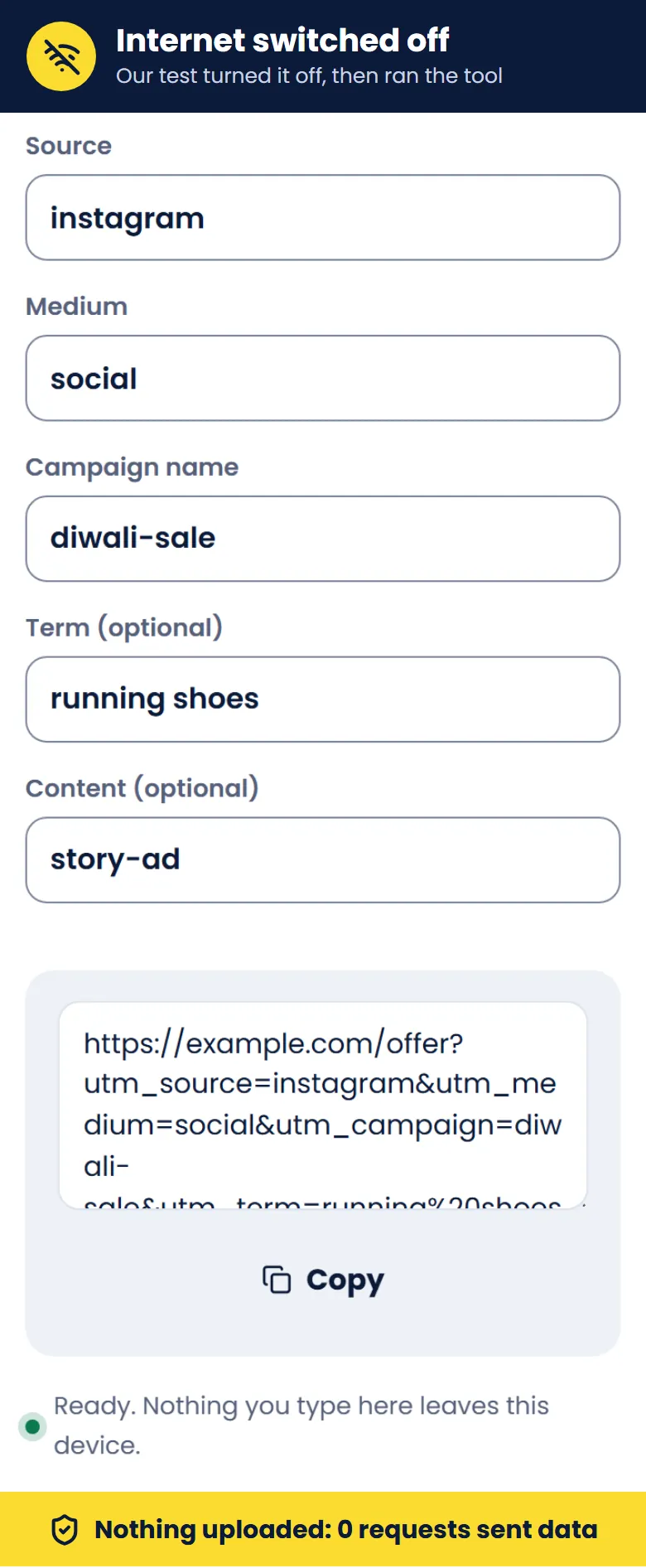
The link is put together inside your browser; the addresses and names you type aren't sent to us or kept, and once loaded the page works with the internet switched off. Google's ad code runs on the page too, but our code never gives it what you type. How we prove it shows how anyone can check.
Problems and fixes
- "Type a web address, like https://example.com/offer."
- The address can't be read as a web address. Paste it from the browser's address bar.
- A visit shows as two sources
- Capitals differ, such as Instagram and instagram. Keep to small letters.
- Visits show as Unassigned or (not set)
- The medium isn't one the channel rules know, or a tag is missing. Use social, email, cpc and the like.
- The link opens the wrong part of the page
- The #section was in the middle of the address. Paste the address as it is; the page keeps the #section last.
- The tags vanished after the click
- The site redirects and drops the query. Tag the final address, the one the browser shows after loading.
- Google Ads visits ignore my tags
- Auto-tagging's gclid comes first in Google Analytics. Leave the tags off, or change the setting in Google Analytics if you really need your own.
Limits
- One link at a time; no list of links from a spreadsheet.
- It doesn't shorten links or count clicks: your analytics counts the visits.
- It tags the link; it can't change what a site does with the tags.
- It doesn't check that the page exists: open the finished link once yourself before you share it.
Other ways
Google's own Campaign URL Builder, on its developer tools site, makes the same links. Spreadsheets can build many at once with a formula. This page keeps the page's own query as it was, replaces old tags, warns about capitals and spaces, and works offline on a phone.
Terms explained
- UTM tags
- Labels added to a link, starting utm_, that tell analytics where a visit came from; UTM is short for Urchin Tracking Module.
- Query
- The part of a link after the question mark, with names and values joined by &.
- Source and medium
- Who sent the visit, and the kind of channel it came through.
- Channel
- Analytics' grouping of visits, such as Organic Social or Email.
- %20
- How a space is written inside a link.
- gclid
- The click number Google Ads adds to a link by itself when auto-tagging is on.
- Realtime report
- Google Analytics' view of visits in the last half hour, handy for testing a new link.