What WhatsApp Link Generator does, and when you need it
WhatsApp Link Generator makes a click-to-chat link: a wa.me address that opens a WhatsApp chat with your number when anyone taps it, without them saving your number first. You can add a message that is typed for them, ready to send, and a QR code of the link to print. It is made in your browser: the number and message aren't sent to us, and there is no sign-up.
People use it when:
- A shop, a tutor or a home business wants customers to message them from Instagram, Facebook or a website with one tap.
- A visiting card, a poster or a parcel needs a QR code that opens a chat.
- Customers keep asking the same thing first, and a ready message ("Hi, I'd like the price list") saves both sides time.
- Someone wants to message a number without adding it to their contacts.
How it works
WhatsApp's own click-to-chat feature answers addresses of the form wa.me/ followed by a phone number in international form: the country code and the number, digits only, with no plus sign, spaces, brackets or leading zeros. The page turns what you type into that form:
- It keeps only the digits, and drops a leading 00, the international prefix some countries dial.
- A 10-digit number is taken as an Indian mobile number and gets 91 in front; an 11-digit number starting with 0 loses the 0 and gets 91.
- A message is added as ?text= and written in the safe form web addresses need, so spaces, Hindi, emoji and question marks all survive.
On a phone, the link opens the WhatsApp app; on a computer, WhatsApp Web or the desktop app. The person then sees your chat with the message typed in the box, and decides whether to send it. Nothing passes through this site.
Real results from our tests
We typed these made-up numbers and messages into the page's own code on 31 October 2026. Each is how people really type numbers; each came out in the form WhatsApp needs.
| Typed | Link made | What happened |
|---|---|---|
| +91 98765 43210 | wa.me/919876543210 | Plus sign and spaces dropped |
| 9876543210 | wa.me/919876543210 | 10 digits taken as an Indian mobile: 91 added |
| 09876543210 | wa.me/919876543210 | The leading 0 replaced by 91 |
| +1 (415) 555-0123 | wa.me/14155550123 | A US number: brackets and dash dropped |
| 0044 20 7946 0958 | wa.me/442079460958 | A UK number: the 00 prefix dropped |
| +971 50 123 4567, with a message in Hindi and an emoji | wa.me/971501234567?text=… | The message written safely: 31 characters of Hindi and an emoji take 240 characters of the address, 272 in all |
What the numbers mean: all 6 came out right. However a number is typed, with +91, a 0, a 00, spaces or brackets, the link holds only the digits WhatsApp expects, country code first, so it opens the right chat. A message in Hindi or with emoji works as well as one in English; it only makes the link longer, which matters if you print it as text rather than as a QR code.
On a first visit the page downloads about 0.1 MB for the tool: the page, its styles, its scripts and the fonts, with Google's ad code not counted.
Step by step
- Type your WhatsApp number with its country code, such as +91 98765 43210. Spaces and dashes are fine.
- Type a message if you like: what the person sending it would want to say first.
- Tick Make a QR code of the link too if you will print it.
- Copy the link, or download the QR code, and open the link once on your own phone to check it.

Numbers and country codes
- India: +91 and the 10-digit mobile number. Typing just the 10 digits works too: the page adds 91.
- Other countries: always type the country code, such as +1 for the US and Canada, +44 for the UK or +971 for the UAE. A 10-digit number without one is read as Indian.
- The number must be on WhatsApp. A landline or a number that has never used WhatsApp opens nothing.
- Business numbers work the same: WhatsApp Business uses ordinary phone numbers.
The page checks the number has 8 to 15 digits, the range of real international numbers, and says so when it doesn't.
The ready message
A good first message saves a round of "Hi" and "Hello, how can I help?". It is typed into the chat box for the person, who can change it before sending, so it should be what they would want to say:
- "Hi, I'd like the price list for school uniforms."
- "Hello, I want to book a demo class for Class 10 maths."
- "Hi, I saw the blue kurta on Instagram. Is size M available?"
Keep it to a line or two. Hindi, Tamil and emoji all work, and a new line typed in the box stays a new line. A long message makes a long link, which is harder to share and makes a denser QR code. Inside the link, the message is written with percent codes, a space as %20; URL Encode and Decode turns such a link back into words.
Ready messages for common businesses
| Business | A ready message that works |
|---|---|
| A tutor or a coaching class | Hello, I want to book a demo class. Student's class and subject: |
| A clinic or a salon | Hi, I'd like an appointment. Preferred day and time: |
| A restaurant's takeaway | Hi, I'd like to order for pickup. My order: |
| A clothes or gift shop | Hi, I saw this on Instagram. Is it available, and what is the price? |
| A taxi or a tour operator | Hello, I need a cab. From, to, date and time: |
| A repair service | Hi, I need a repair. Item and problem: |
Ending the message with what you need to know, followed by a colon, gets the customer to fill it in before sending, and the first reply can be the answer instead of a question. For customers who prefer it, make a second link with the same message in Hindi or your region's language.
Where to put the link
- Instagram: in the bio's link, or as a link sticker in a story.
- Facebook: in the page's details or a post.
- Google Business Profile: where your profile lets you add a link or chat option, so people who find you on Maps can message you.
- A website: behind a "Chat on WhatsApp" button.
- Email signatures, invoices and order messages: as a plain link.
- Print: as a QR code on visiting cards, menus, shop doors and parcels.
A "Chat on WhatsApp" button on a website
On a website, the link goes behind a button or a text link, such as:
<a href="https://wa.me/919876543210?text=Hi">Chat with us on WhatsApp</a>
Write what the button does in words, not only a WhatsApp logo, so screen-reader users and anyone unsure of the icon know where it goes. Many site builders, such as WordPress, Wix and Shopify, have a WhatsApp button or plugin with a box for the link: paste the link from here into it. Visitors on a phone go straight into the app; on a computer, into WhatsApp Web or the desktop app.
For orders and after-sales help
A link in an order confirmation, an invoice or a delivery message can start the right conversation: "Hi, I need help with my order. Order number:" gets the order number into the first message, so the reply can deal with it straight away. Keep a separate link, with its own message, for new enquiries, and the two kinds of chat are easy to tell apart in a busy inbox.
When your number changes
A wa.me link holds the number itself, so it stops reaching you the day the number changes or the WhatsApp account is closed. Keep a short list of everywhere you have put the link: bio, website, Google profile, printed cards, packaging. When the number changes, make new links here and replace them all; for print, a sticker over the old QR code on cards you still have saves reprinting them all at once.
A QR code of the link
Tick Make a QR code of the link too and the page draws one under the link, with the same encoder as our QR Code Generator, at Medium error correction, 1024 pixels. Scanned with a phone's camera, it opens your chat with the message ready. Print it at least 2.5 cm across on a visiting card and bigger on a poster, with "Scan to chat on WhatsApp" next to it so people know what it does. For colours or a logo in the middle, paste the link into QR Code Generator instead. To be paid by scanning as well, put a payment code from UPI QR Code Generator beside it, each with its own label.
Knowing where a chat came from
A wa.me link can't carry tracking tags, and nobody counts its taps. A simple trick works instead: make a different ready message for each place. "Hi (from Instagram)" in the bio, "Hi (from the shop card)" on the printed QR code, "Hi (from the website)" on the site. Each chat then says where it came from, and a week of chats shows which place brings customers.
With WhatsApp Business
The free WhatsApp Business app has features that pair well with a click-to-chat link: a greeting message for people who message you first, an away message after hours, quick replies for common questions, and a catalogue of what you sell. It also makes a short link of its own. A link made here works with a Business number exactly as with a personal one, and lets you choose the ready message for each place you share it.
Replies, hours and several numbers
- Say when you reply. A line such as "We reply 10 am to 7 pm" beside the link or the QR code stops customers waiting and wondering; WhatsApp Business's away message covers the rest.
- Several numbers, say for orders and for complaints, each get their own link with their own message: label them clearly where you put them.
- Print the number too, next to a QR code, for anyone who can't scan or would rather call.
Which place sent the chat?
A wa.me link counts nothing, but the ready message can tell you where a customer found you. Make one link per place, each with its own first line: "Hi, I saw your flyer" for the flyer's QR code, "Hi, I found you on Instagram" for the bio, "Hi, I'm messaging from your website" for the site's button. Customers can change the words, and some will, but most send them as they are, so a week of chats shows which place works. The WhatsApp Business app's own statistics count messages sent, delivered, read and received.
A landline number
The WhatsApp Business app can be set up on a landline, with a voice call in place of the SMS code, and a link works the same for it. Type the number with its area code, such as 022 1234 5678: as with mobiles, the page replaces the first 0 with 91, so the link reads wa.me/912212345678. Test it from another phone before you print it.
Groups and communities
A click-to-chat link opens a chat with one number. To invite people into a group, WhatsApp makes the link itself: in the group, open its name, then Invite via link, and share that chat.whatsapp.com address. Only the group's admins can make or reset it, and resetting it stops the old link working, which is useful if it spreads too far. A group link can go into a QR code too, with QR Code Generator.
wa.me or api.whatsapp.com
Older guides show links of the form api.whatsapp.com/send?phone=919876543210&text=Hello. Those still open a chat the same way; wa.me is WhatsApp's shorter form of the same thing, easier to read and to fit in a bio or a QR code. On a computer, either opens the WhatsApp desktop app if it is installed, or WhatsApp Web, which needs the phone linked once with a QR code of its own.
Your number in public
A wa.me link shows your number to anyone who sees it, and anyone can message it. For a business that is the point, but it is worth a moment's thought:
- Use a business number rather than your personal one, if you have one.
- In WhatsApp's privacy settings, choose who sees your profile photo, last seen and about.
- Block and report anyone who misuses it; WhatsApp makes both easy from the chat.
Test it before you share it
- Open the link on your phone, from another WhatsApp number if you can: the chat should open with your name or number and the message ready.
- Open it on a computer: it should go to WhatsApp Web or the desktop app.
- Scan the printed QR code from the distance people will.
A worked example: a home bakery's orders
A home bakery in Pune takes cake orders on WhatsApp, and every chat starts with "Hi" and "What cakes do you have?". The baker makes three links with the same number, +91 98765 43210, and three ready messages: "Hi, I'd like to order a cake (from Instagram)" for the Instagram bio, "Hi, I'd like to order a cake (from the box)" as a QR code on a sticker for every cake box, and "Hi, I'd like to order a cake (from Google)" for the Google Business Profile. Customers now tap once and send; the baker replies with the menu straight away, and after a month the messages show that the box stickers bring the most repeat orders.
Private: made on your device
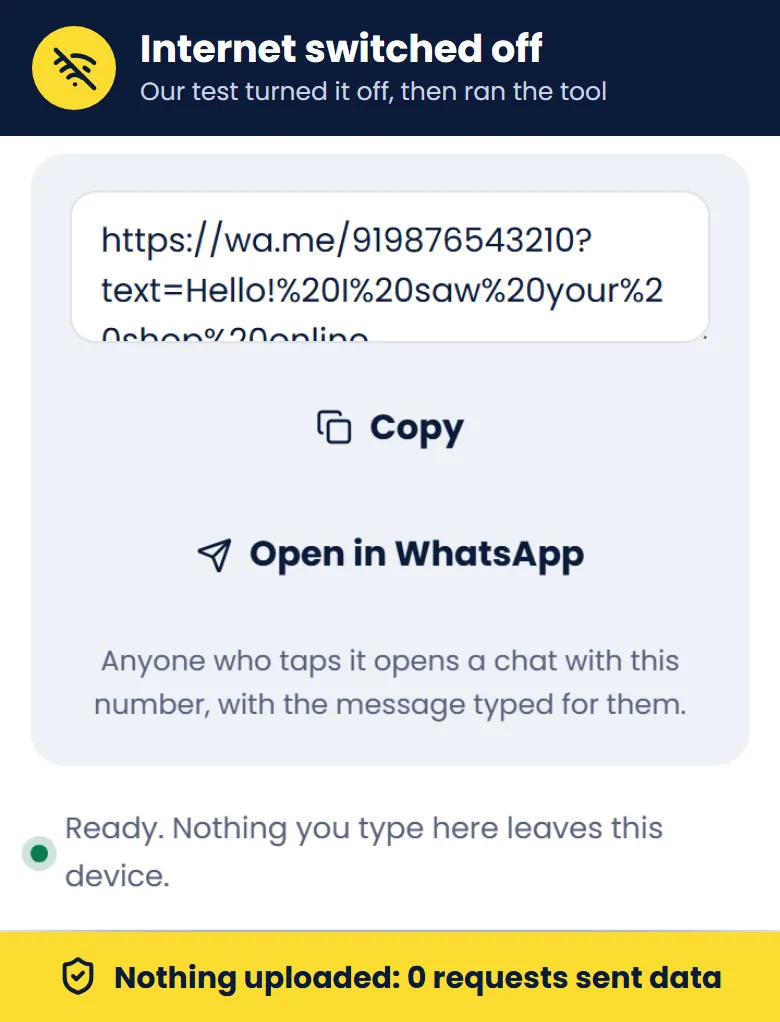
The link and the QR code are made inside your browser; your number and message aren't sent to us or kept, and once loaded the page works with the internet switched off. Chats then go between WhatsApp users as usual, never through this site. Google's ad code runs on the page too, but our code never gives it what you type. How we prove it shows how anyone can check.
Problems and fixes
- "Type the number with its country code, like +91 98765 43210."
- The number has fewer than 8 or more than 15 digits. Check it and add the country code.
- WhatsApp says the number is invalid, or not on WhatsApp
- The number is wrong, missing its country code, or isn't registered on WhatsApp.
- A foreign 10-digit number opened the wrong chat
- Without a country code it was read as Indian. Type it with + and the country code.
- The message didn't appear
- Some apps cut long links when pasted. Share the link as it is, or keep the message shorter.
Limits
- Chats with one number only: group invite links come from the group's own settings in WhatsApp.
- It doesn't send messages for you, to one person or many; sending in bulk needs WhatsApp's paid Business platform.
- No count of taps or chats.
Other ways
You can type a wa.me link by hand: wa.me/, then the country code and number in digits only. The WhatsApp Business app makes its own short link, with one message. This page does the number's clean-up for you, writes any message safely in the link, and draws a QR code, with a different message for each place you share it.
Terms explained
- Click to chat
- WhatsApp's feature that opens a chat with a number from a link, without saving it.
- wa.me
- WhatsApp's short address for click-to-chat links.
- Country code
- The digits that name a country in international numbers: 91 for India.
- Ready message
- Text typed into the chat box for the person, which they can change before sending.
- WhatsApp Business
- WhatsApp's free app for businesses, with greetings, quick replies and a catalogue.