What Random Name Picker does, and when you need it
Random Name Picker chooses one or more names from a list you paste, one name on each line, with every line having exactly the same chance. Tick Never the same one twice for different winners, set How many to pick up to 1,000, and press Pick. It works in your browser from your device's secure random source: the list isn't uploaded, and there is no sign-up.
People use it when:
- A shop or a creator runs a giveaway and must pick a winner from the people who entered.
- A teacher picks who answers next, or who presents first.
- A family or an office decides who takes a turn, a chore or a seat, without arguments.
- A list of anything, such as places, films or questions, needs one chosen at random.
To split a list into groups instead, Random Team Generator makes even teams; for numbered tickets, Random Number Generator.
How it works
The page reads your list one line at a time, trims spaces at either end, and skips empty lines. Then it picks with crypto.getRandomValues, the browser's secure random source, giving every line the same chance:
- With Never the same one twice, it shuffles the whole list fairly, the way you would shuffle cards, and takes the first names. No line can be picked twice.
- Without it, each pick is made from the whole list on its own, so the same name can win more than once, as a ticket put back in the box can be drawn again.
The note under the result says how many entries the pick was made from, so everyone can see the whole list was used.
Real results from our tests
We ran the page's own picking code (web/js/gen-core.js) in Node.js, which has the same crypto.getRandomValues as browsers, on a Windows 11 laptop on 31 October 2026, with a list of ten names.
| What we did | What came out | What it means |
|---|---|---|
| 100,000 single picks from 10 names | Each name picked 9,846 to 10,118 times | Close to the 10,000 each that even chances give |
| The same, tested for evenness | A chi-square of 8.75 on 9 degrees of freedom | Just what fair picks give; favouritism would push it far higher |
| 3 picks, Never the same one twice | Three different names | No line came up twice |
What the numbers mean: no name is favoured, not the first on the list, not the last and not the longest. Over many picks every name's share settles at one in ten.
On a first visit the page downloads about 0.1 MB for the tool: the page, its styles, its scripts and the fonts, with Google's ad code not counted.
Step by step
- Paste or type the names, one on each line. At least two are needed.
- Set How many to pick: 1 for one winner.
- Leave Never the same one twice ticked for different winners.
- Press Pick. The names show in large letters; press again for a fresh pick, or copy or download the result.
Try an example fills the box with sample names, so you can see a pick before pasting your own list.

A giveaway from comments
- Close entries first, at the time you announced, and say so in a story or a post.
- Collect the entrants' names into a list, one per line, from the comments or the form you used.
- Apply your own rules before picking: remove entries that broke them, such as accounts that didn't follow or comments after the closing time.
- Decide about repeated names: if each person gets one entry, delete the repeats first (see below).
- Pick on camera, with the list visible, then announce and contact the winner.
When you announce the winner, post how many entries there were, the closing time, the video and the winner's name, but not the whole list: entrants may not want their names shared with everyone. Keep the list and the video for a few weeks, in case anyone asks.
Social platforms have their own rules for giveaways, and some ask that you say the platform isn't involved. Read them for the platform you use.
Names that appear twice
Every line is one entry. A name on two lines has two chances, which is right when the rules give extra entries, say one per comment or one per tag, and wrong when everyone should have one. Never the same one twice means the same line can't be picked twice; a name on two lines could still win twice in one pick of several.
For one entry each, remove the repeated lines before you paste the list: most spreadsheets can remove duplicates, and so can a text tool. Two different people who share a name should be told apart, say "Priya S." and "Priya K.", so the winner is clear.
Extra entries on purpose work the same way. If the rules give one entry for every ₹500 spent, write each customer's name once per entry: a customer who spent ₹2,000 goes on 4 lines and has 4 chances. Say the rule when you announce the draw, so nobody is surprised.
Several winners
For a first, second and third prize, set How many to 3 with Never the same one twice ticked, and announce beforehand that the names win in the order shown. One press then settles all three, which is fairer than picking three times and arguing about which press counts. The note says how many entries the picks came from.
To put a whole list in random order, such as the order of speakers, set How many to the number of names: the result is the list shuffled.
The chances, worked out
With N lines and one pick, each line's chance is 1 in N: 1 in 151 in the bakery's giveaway below, about 0.66%. A name on 3 lines of a 200-line list has 3 chances in 200, or 1.5%.
With several winners and Never the same one twice, each line's chance of being among them is the number of winners divided by the number of lines: for 3 winners from 151, 3 in 151, about 2%. Without the tick, a line can win twice: in 3 picks from 151 lines, the chance that some line comes up twice is about 2 in 100. Small, but enough to tick the box whenever winners must differ.
In the classroom
- Who answers next: paste the class list once, keep the tab open, and press Pick for each question.
- Presentation order: pick the whole class at once with Never the same one twice for a random running order.
- Fair turns over a week: after each pick, delete the chosen name from the list, so everyone gets a turn before anyone has two.
On a projector, students see that the pick was random, not the teacher's choice.
Exam seating
A seating order that isn't by roll number keeps friends apart in a test. Paste the class list, set How many to the class size, keep Never the same one twice, and press Pick: seat the students in the shuffled order, row by row, starting from the front left. Download the list as picked.txt and print it for the invigilator. For groups of a set size instead, Random Team Generator splits the list in one go and keeps the groups even.
At work and at home
- Meeting roles: who takes notes, who runs the next stand-up.
- Rotas: the order of weekend duties or night shifts, as a shuffled list.
- Small prizes: an office raffle among those who filled in a survey.
- Family choices: whose turn to choose the film, or which relative to visit first.
- A friends' cricket league: the order in which the team owners choose their players, as a shuffled list.
- Breaking a tie: when two quiz teams are level on points, paste both names and pick one, once both agree to it; for a plain toss between two, Dice Roller and Coin Flip has a coin.
- Competition order: the order in which dancers or singers perform, shuffled and announced at the start so everyone can get ready.
Secret Santa without drawing yourself
Picking a name for each person separately can hand someone their own name. The shuffle-and-pass method avoids that every time:
- Shuffle the whole group: paste everyone, set How many to the number of people, keep Never the same one twice, and press Pick.
- Each person gives to the next name in the shuffled list, and the last person gives to the first.
Nobody can get themselves, and every arrangement in a circle is equally likely. Have one person who isn't taking part run it, or send each giver only their own receiver, so the surprise survives.
When the person picked isn't there
Decide before the pick what happens if the winner is absent, can't be reached, or doesn't meet a rule: a redraw from everyone else, or a reserve picked at the same time. Picking a winner and two reserves in one press, with Never the same one twice, settles it in advance: if the first can't claim the prize within the stated time, it goes to the second. Announcing that rule beforehand avoids arguments later.
Names from a spreadsheet or a form
Copy a column of names in Excel or Google Sheets and paste it into the box: each cell becomes one line, ready to pick from. Responses to a Google Form open as a sheet, through Link to Sheets in the form's Responses tab, so entries to a contest run through a form can be picked the same way: copy the name column and paste it. Before pasting, sort the column and look for blanks, repeats and test entries such as "abc"; the page skips empty lines but treats everything else as a real entry. Leave the header cell, such as "Name", out of the copy too, or it becomes an entry that can win.
A random sample of people
To ask a few customers, members or employees for feedback without choosing your favourites, paste the full list and pick, say, 30 with Never the same one twice. Because everyone had the same chance, the answers speak for the whole group better than those of the people who happen to reply first. Keep the list of who was picked with the survey, so the sample can be checked later.
Picking in the open
A pick is believed when people can see it happen. Share the screen in a video call, put it on a projector, or record the screen on a phone: show the full list scrolled through, then press Pick once. The page keeps no record of its own, so the screen recording or a screenshot with the time is your proof. Pressing again until a preferred name appears is the one thing that makes a fair tool unfair, which is why the rules and the single press come first.
In a video call, share just the browser tab rather than the whole screen, so people see the list and the pick and nothing else on your computer.
Spinning wheels and this page
Wheel pickers spin an animation before they stop on a name. The spin is only a show: what decides the winner is the random number behind it, just as here. This page skips the show and gives the result at once, in large letters, which is quicker with a long list and easier to read on a projector than a wheel crowded with 150 thin slices. Where the suspense is part of the fun, at a party or on a live stream, a countdown from five before you press Pick does the same job.
What fair means here
Fair means every line has the same chance on every pick, whatever its place in the list, its length or its letters, and that earlier picks don't change later ones unless you tick Never the same one twice. It doesn't mean everyone wins in turn: the same person can be picked twice in a row in separate presses, as a die can roll two sixes. For turns that must go round, take each picked name off the list.
A worked example: a bakery's festival giveaway
A home bakery offers a free cake to one person who comments on its festival post by Friday evening. On Saturday morning, the owner copies the 186 commenters' names into a list, deletes four comments made after the deadline and the repeats of people who commented more than once, leaving 151 names, one each. On a screen recording, the owner scrolls through the list, sets How many to 1, and presses Pick once: the note says the pick was made from 151 entries, each with the same chance. The video goes into a story with the winner's name, and the winner gets a message to collect the cake. Two commenters shared a first name, so the owner had added their surnames to tell them apart before the pick.
Private: the list stays on your device
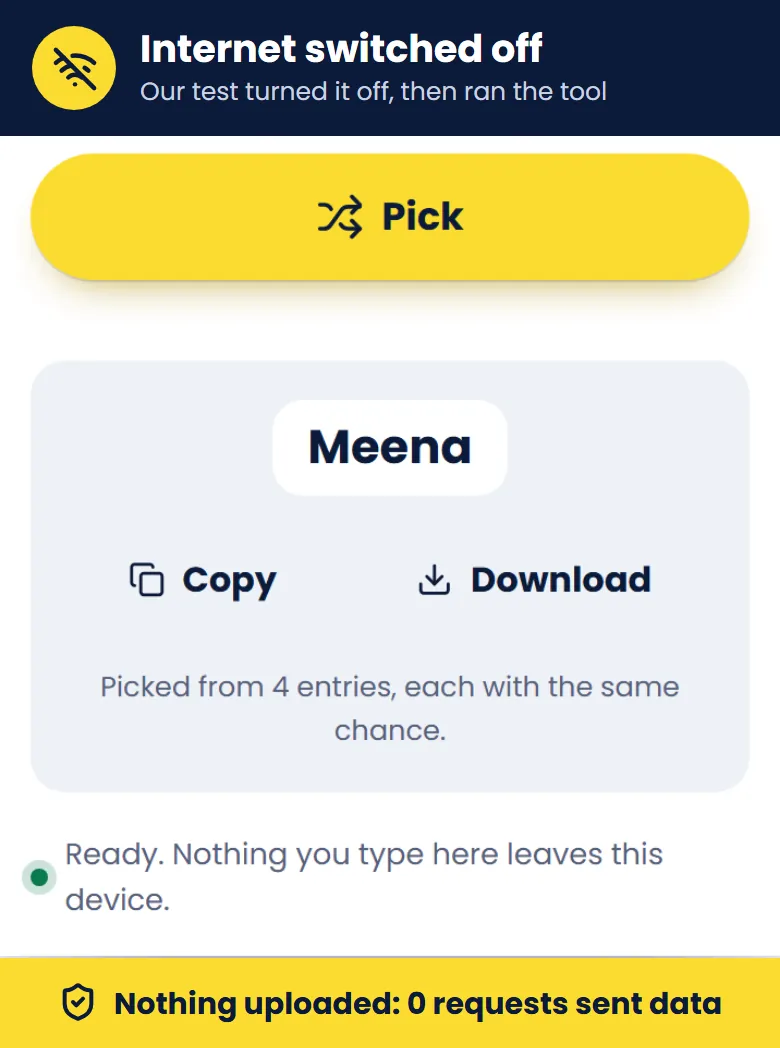
Names are read and picked inside your browser; the list isn't sent to us or kept, and once loaded the page works with the internet switched off. That matters for lists of students, customers or staff. Google's ad code runs on the page too, but our code never gives it your list. How we prove it shows how anyone can check.
Problems and fixes
- "Put at least two on separate lines."
- The list has one line, or names separated by commas. Put each name on its own line.
- "There are only 8 to pick from."
- Never the same one twice is ticked and How many is more than the names. Ask for fewer, or untick it.
- The same person won twice
- Their name is on two lines, or Never the same one twice was unticked. See Names that appear twice.
- Commas inside names split them
- They don't: only new lines separate entries, so "Sharma, Priya" stays one name.
- Names pasted from Excel have extra spaces or blank rows
- The page trims spaces at both ends of each line and skips empty lines, so neither counts as an entry.
- Names in Hindi, Tamil or with emoji
- Any letters work: each line is one entry, whatever it contains.
Limits
- One name on each line; it doesn't read comments from social media for you.
- Every line has the same chance: no weights other than repeating a line.
- Up to 1,000 picks at a time.
- No record of past picks: save the screen yourself.
- It can't check whether entrants followed your rules; do that before you paste the list.
Other ways
Names in a bowl work well for a small room. Spreadsheets can pick with RAND() and a sort, though the pick changes whenever the sheet recalculates. Giveaway apps can read comments for you but usually need access to your account. This page needs only the list, keeps it on your device, and picks with a secure random source.
Terms explained
- Entry
- One line of the list: one chance to be picked.
- Without replacement
- Picking so nothing can be chosen twice, as with Never the same one twice.
- Shuffle
- Putting a list in random order, every order equally likely.
- Reserve
- A back-up winner picked at the same time, who wins if the first can't claim the prize.
- Weighted pick
- Giving someone more chances than others; here, by putting their name on more lines.
- Chi-square test
- A standard test of whether counts are as even as chance allows.