What Random Team Generator does, and when you need it
Random Team Generator splits a list of names into teams at random: either a number of teams you choose, or teams of a size you choose. Team sizes always come out as even as the numbers allow, never more than one apart. Paste the names, one on each line, press Make teams, and copy or download the result. It works in your browser from your device's secure random source, with nothing uploaded and no sign-up.
People use it when:
- Friends meet for cricket, football or kabaddi and need two sides nobody can call unfair.
- A teacher makes project groups or quiz teams without the same friends always together.
- An office mixes departments for a workshop, a lunch or a team-building game.
- A club or an event splits players into pools or tables.
To pick one or a few names instead, use Random Name Picker.
How it works
The page reads one name per line, trimming spaces and skipping empty lines. It shuffles the whole list with crypto.getRandomValues, the browser's secure random source, so every order of names is equally likely, then deals the names out like cards, one to each team in turn, round and round, until none are left. That dealing is what keeps the teams even: no team gets a second extra player before every team has one.
The result lists each team with its size, as Team 1 (6): and its names, ready to read out, copy into a chat or download as teams.txt. The sizes add up to the number of names, so a glance at the headings shows that nobody was left out.
Real results from our tests
We ran the page's own team code (web/js/gen-core.js) in Node.js, which has the same crypto.getRandomValues as browsers, on a Windows 11 laptop on 31 October 2026.
| What we did | What came out | What it means |
|---|---|---|
| 30 names into 5 teams, 10,000 times | 5 teams of 6 every time | Sizes are always even when the numbers divide |
| How often each name landed in Team 1 | 1,927 to 2,095 times each | Close to the 2,000 each that even chances give |
| The same, tested for evenness | A chi-square of 24.7 on 29 degrees of freedom | Just what fair shuffles give |
| 23 names into 5 teams | Teams of 5, 5, 5, 4 and 4 | Never more than one apart |
| 23 names in teams of 4 | 6 teams: 4, 4, 4, 4, 4 and 3 | The last team takes the remainder |
What the numbers mean: no name is more likely to land in any particular team, whatever its place in the list, and the sizes come out the same way every time; only who goes where changes.
On a first visit the page downloads about 0.1 MB for the tool: the page, its styles, its scripts and the fonts, with Google's ad code not counted.
Step by step
- Paste the names, one on each line. At least two are needed.
- Choose Split into: A number of teams, or Teams of a size.
- Type the number: how many teams, or how many people in each.
- Press Make teams. Each team shows under its heading; press again for a fresh split, or copy or download it.
Try an example fills the box with sample names first.

A number of teams, or teams of a size
- A number of teams suits a fixed number of sides or tables: two sides for a match, six tables at an event. The sizes follow from the number of people.
- Teams of a size suits work done in small groups: pairs for revision, fours for a project, elevens for cricket. The number of teams follows: 23 people in fours make 6 teams.
Either way, the page works out the other number and deals the names so no team is more than one person bigger than another.
When the numbers don't divide
23 people in 5 teams can't be 5 equal teams: the page makes three of 5 and two of 4, the closest possible. 23 people in teams of 4 makes five teams of 4 and one of 3. If a short team matters, for a game that needs equal sides, you can rotate a substitute, give the bigger team one fewer turn, or ask for one team fewer and accept larger teams. The heading of each team shows its size, so it is easy to see where the extra players went.
Balancing strong and new players
Random teams are fair in the sense that nobody chose them, but a random split can still put the three best players together. To spread skill as well as chance, split in two passes:
- List the strongest players (or the captains, or the seniors) and split them into the number of teams you want.
- List everyone else and split them into the same number of teams.
- Join Team 1 with Team 1, Team 2 with Team 2, and so on.
Each team then gets its share of strong players and of everyone else, and luck still decides who plays with whom.
Who ends up together: the chances
For any two people, the chance of landing in the same team is the size of a team, less one, divided by the number of people, less one. Once one friend is placed, the other has that many spare places out of all the places left:
| The split | Two friends in the same team |
|---|---|
| 22 friends, 2 sides of 11 | 10 in 21: about 48% |
| 30 students, 5 groups of 6 | 5 in 29: about 17% |
| 200 guests, tables of 8 | 7 in 199: about 3.5% |
The same sums explain why random sides sometimes look lopsided. With 14 players in two sides of 7, the three strongest all land on one side about 1 time in 5 (19%), which is why the two-pass split above is worth the extra minute when the game matters.
Sports days and matches
For a cricket match among 22 friends, choose A number of teams and 2: two sides of 11. For a kabaddi tournament with 42 players, choose Teams of a size and 7: six teams of 7. For a school's sports day with houses, list each class and split it into the four houses, so every house gets a fair mix of every class. Read the teams out from the screen, or paste them into the group chat so everyone knows their side before the match.
Gully cricket with odd numbers
Thirteen turn up, and two sides of 6 and 7 feel unfair to the six. Two common answers, both decided before the split:
- A common player: take one person out of the list, split the other twelve into two sides of 6, and let the common player bat for both sides, as many street games do.
- Make up the difference: keep sides of 7 and 6, and let one batter of the smaller side bat twice, or give it a shorter boundary, as the group agrees.
Who the common player is can be picked at random too, with Random Name Picker, so nobody argues about that either, and which side bats first is a toss with Dice Roller and Coin Flip.
Groups in class
- Project groups that mix the class, instead of the same friends together every time.
- Revision pairs: Teams of a size, 2; with an odd number, one group of 3.
- Quiz teams made in front of the class on the projector, so nobody can say the teacher chose them.
- A new mix each week: press again with the same list.
Groups for a project that runs for weeks are worth making once and keeping: download teams.txt the day you make them, so a lost list never means a new split that students might suspect.
Lab and practical batches
Colleges split a class into batches for lab sessions, workshops and vivas. For 64 students in 4 batches, choose A number of teams and 4: four batches of 16. Roll numbers work as well as names, and are shorter to paste: copy the roll number column from the class sheet. Download teams.txt, rename Teams 1 to 4 as Batches A to D when you post them on the notice board or in the class group, and keep the file, so a student who asks which batch they are in can be answered from the same list.
At work
Mixing people who don't usually work together is the point of most workshops and team-building days. Paste the attendees, choose the number of tables or groups, and send the result before the day so people know where to sit. To make sure each group has someone from every department, use the two-pass trick from Balancing: split each department's list into the same number of groups and join them up.
Pairing two lists: mentors, buddies and partners
Sometimes each person from one list needs a partner from another: a mentor for each new joiner, a senior student for each junior, a host family for each guest. The page splits one list, so pair two lists this way:
- Shuffle the second list: put it in Random Name Picker and pick all of them with Never the same one twice, which returns the whole list in random order.
- Line it up against the first list, kept in its usual order, and pair them row by row.
Every pairing is then equally likely, and nobody chose who goes with whom.
Tournaments and pools
Once teams are made, a tournament needs fixtures. In a round robin, where every team plays every other once, the number of matches is the number of teams times one fewer, halved: 4 teams play 6 matches, 6 teams play 15, 8 teams play 28. For a big entry, split the teams themselves into pools, say 16 teams into 4 pools of 4, play each pool as a round robin, and send the top teams on. The same page splits teams into pools: paste the team names instead of people's.
A knock-out needs one match fewer than there are teams: 16 teams play 15 matches to find a winner. The first-round draw works the same way: paste the 16 team names, choose Teams of a size and 2, and each of the 8 pairs is a first-round match. To decide the order the matches are played in, number them and draw them all with Random Number Generator.
New teams every round
For a quiz night or a workshop with several rounds, press Make teams again with the same list before each round: the sizes stay the same and the members change. Each split is made fresh, so two people can end up together again by chance; with more people and more teams, repeats get rarer. With 30 people in teams of 6, two given people share a team in about 1 round in 6, and over three rounds they never meet about 57 times in 100. If some pairs must not repeat, check the new teams against the last ones and press again, as agreed with the group beforehand.
Big events and online classes
For a conference lunch with 200 guests at tables of 8, choose Teams of a size and 8: 25 tables of 8. Download teams.txt and print it for the doors, or paste each table into the event's chat; name tags can carry the table number, taken from the same file. For online classes, video apps such as Zoom and Google Meet can put people in breakout rooms at random themselves; this page helps when you want the groups decided and shared before the class starts, or when the same groups must meet again next week.
Making teams in the open
Teams are accepted more easily when everyone sees them made. Show the list, press Make teams once on a shared screen or a projector, and read the result out. Pressing again until the teams look "right" to the organiser undoes the point; if a re-split is allowed, agree it before the first press. The page keeps no record, so copy or download the teams you use.
After the split: captains and names
Teams come out numbered. Two small steps finish the job:
- A captain for each team: paste one team's names into Random Name Picker and pick one, or let the team choose.
- Names and colours: give the teams names after the split rather than before, so nobody argues to be in the Tigers, and settle colours, such as Team 1 in white bibs, before anyone walks off.
When you paste the teams into a chat, put the team names into the text then, so the message reads well without the page.
A worked example: a Sunday football game
Fourteen people turn up for Sunday football, including two strong players who always end up on the same side. The organiser makes two lists: the two strong players, split into 2 teams, and the other twelve, split into 2 teams. Joining Team 1 with Team 1 and Team 2 with Team 2 gives two sides of seven, one strong player each, and everyone else placed by chance. The result goes into the group chat with "Team 1 wears white", and the game starts without the usual ten minutes of picking sides.
Private: the names stay on your device
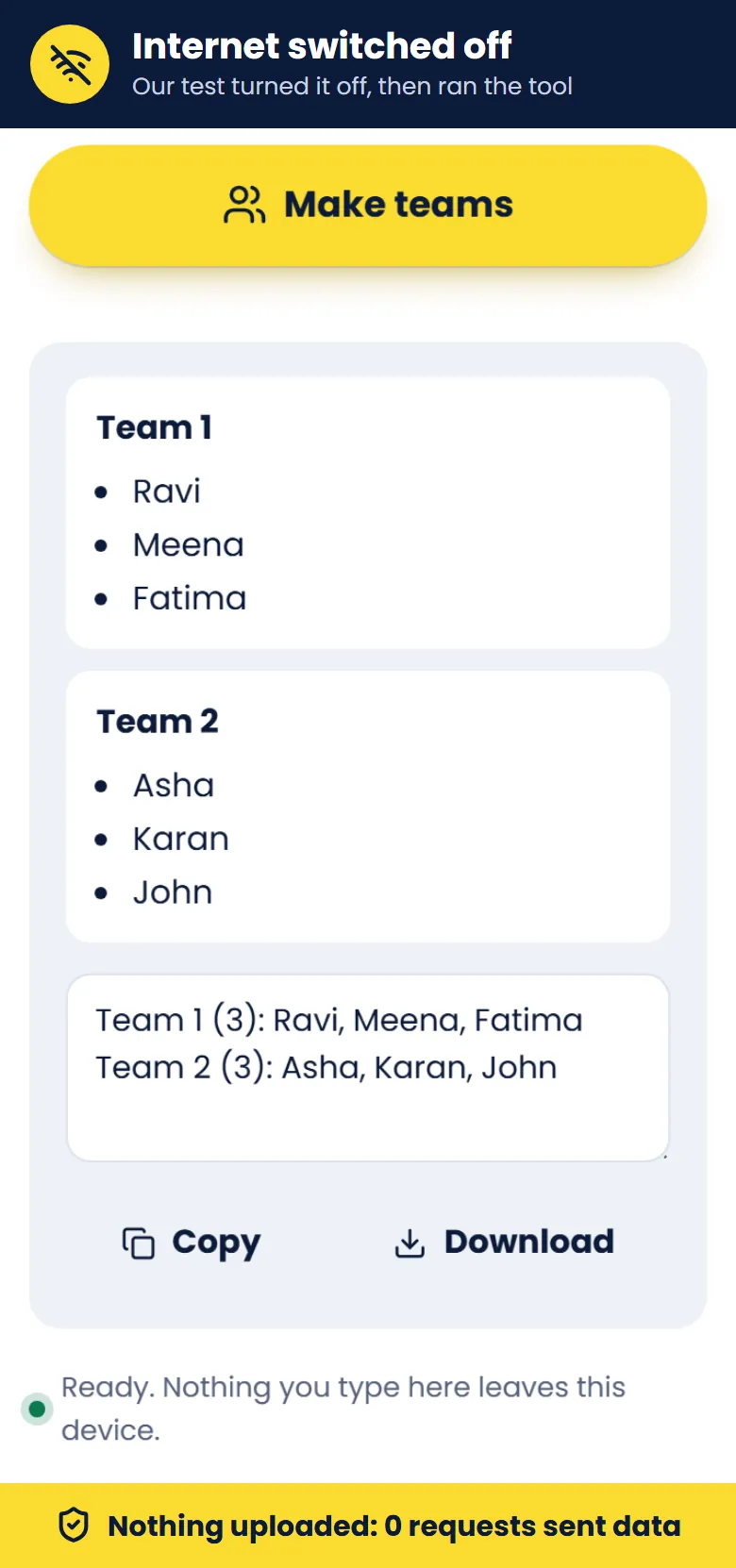
The list is shuffled and split inside your browser; names aren't sent to us or kept, and once loaded the page works with the internet switched off, which matters for lists of students or staff. Google's ad code runs on the page too, but our code never gives it your list. How we prove it shows how anyone can check.
Problems and fixes
- "Put at least two names on separate lines."
- The list has one line, or names separated by commas. Put each name on its own line.
- "There are only 8 names for 10 teams."
- More teams than people were asked for. Choose fewer teams.
- One team is a person short
- The numbers don't divide; see When the numbers don't divide.
- The best players ended up together
- That can happen at random. Use the two-pass trick in Balancing.
- Someone arrived after the split
- Add them to the team that is a person short, or, if the teams are even, make the split again with the full list, as agreed with the group.
- Names pasted from a sheet came with blank rows
- Blank lines are skipped and spaces at the ends are trimmed, so they don't become players.
Limits
- Random only: it doesn't know skills, ages or who shouldn't be together.
- One name on each line; up to 500 teams.
- Teams are numbered, not named; rename them when you share the result.
- No record of past splits: copy or download the one you use.
Other ways
Two captains picking players in turn is the traditional way, and quick, though the last picked rarely enjoy it. Counting off "1, 2, 1, 2" down a line splits a group in seconds but keeps neighbours apart and friends together by accident. This page splits any list fairly, keeps sizes even, and gives a result you can share.
Terms explained
- Shuffle
- Putting the list in random order, every order equally likely.
- Dealing
- Handing names to teams one at a time in turn, as cards are dealt.
- Even teams
- Teams whose sizes differ by one at most.
- Seeding
- Spreading the strongest players across teams before the rest are placed.
- Round robin
- A tournament in which every team plays every other team once.
- Common player
- In street cricket, an extra player who plays for both sides when the numbers are odd.