What this page does, and when you need it
IBPS application forms ask for four pictures, each with its own size: your photograph, your signature, your left thumb impression and a handwritten declaration. This page makes each of them in the pixels, DPI and KB range of IBPS's own notification, one after another: it opens with the photograph's setting chosen, and the Exam or form list holds the other three. Your pictures are resized in your own browser and never uploaded to us, and there is no sign-up.
You need it when:
- A phone photo is megabytes and the form wants 20 to 50 KB at 200 × 230 pixels.
- A signature comes out under 10 KB at 140 × 60 pixels, and the form refuses it.
- The thumb impression and the declaration need 200 DPI as well as pixels and KB.
The 10th certificate is a PDF instead: JPG to PDF makes it from a photo, and Compress PDF to 500 KB keeps it under the limit. For other exams, Reduce Image Size in KB has the full list, and for forms that give only a KB limit, Resize Image to 20 KB and Resize Image to 50 KB are set for the commonest. IBPS PO/MT uploads lists every file the form asks for, the certificate included, with its rule.
What IBPS asks for
From Annexure III, Guidelines for Scanning and Upload of Documents, pages 36 to 38 of the IBPS CRP PO/MT-XVI notification. Read on 31 October 2026.
| Upload | Pixels and DPI | File size | On paper |
|---|---|---|---|
| Photograph | 200 × 230 pixels (preferred) | 20 to 50 KB | Recent passport style colour photo, light, preferably white, background |
| Signature | 140 × 60 pixels (preferred) | 10 to 20 KB | Black ink on white paper, not in capital letters |
| Left thumb impression | 240 × 240 pixels at 200 DPI (3 cm × 3 cm) | 20 to 50 KB | Black or blue ink on white paper; JPG |
| Handwritten declaration | 800 × 400 pixels at 200 DPI (10 cm × 5 cm) | 50 to 100 KB | In English, in your own handwriting, black ink, not in capital letters; JPG |
| 10th certificate (and a certificate under Clause J (ix), if it applies) | A PDF of A4 pages | Up to 500 KB | Clear and readable |
The notification also says the form won't let you move on until the photograph and signature meet the specifications, and that a wrong size or format brings up an error message.
Which notification these sizes come from
These are the sizes of the PO/MT-XVI notification of 30 June 2026, whose registration ran from 1 to 21 July 2026. IBPS publishes a separate notification for each exam, such as Clerk, RRB and Specialist Officers, each with its own guidelines annexure. Before you upload for any IBPS exam, open its notification at ibps.in and compare its annexure with the table above: if a number differs, type that number into the boxes here instead of using the preset, since the notification for your exam is the one that counts.
Real results from our tests
On 31 October 2026 we put 7 test pictures through the IBPS settings of this resizer, in Chromium on a Windows 11 laptop, at a computer's width and at a phone's, and checked every saved file with a separate Python program: format, pixels, DPI, size and whether it still looks like the original.

| Picture and setting | Before | After | What happened |
|---|---|---|---|
| A 12-megapixel phone photo, photograph | 2.37 MB | 34.3 KB, 200 × 230 px | Fits 20 to 50 KB, in 0.3 seconds |
| A photo sent on WhatsApp, photograph | 46.1 KB | 22.3 KB, 200 × 230 px | Fits |
| A scanned passport photo, photograph | 150.5 KB | 42.7 KB, 200 × 230 px | Fits |
| A phone photo of a signature, signature | 282.8 KB | 10.2 KB, 140 × 60 px | Raised to the 10 KB minimum |
| A scanned signature, PNG, signature | 21.9 KB | 10.2 KB, 140 × 60 px | A JPG, raised to the 10 KB minimum |
| A photo of a thumb impression, thumb | 177 KB | 33.4 KB, 240 × 240 px, 200 DPI | Fits 20 to 50 KB |
| A photo of a handwritten declaration, declaration | 473.7 KB | 88.7 KB, 800 × 400 px, 200 DPI | Fits 50 to 100 KB |
What the numbers mean: all 14 results, 7 pictures on a computer and on a phone, had exactly IBPS's pixels, the 200 DPI where it is asked for, and a size inside the range, and the computer and the phone made the same files. Each took under half a second.
On a first visit the page downloads about 0.1 MB for the tool: the page, its styles, its scripts and the fonts, with Google's ad code not counted.

Step by step: the four pictures
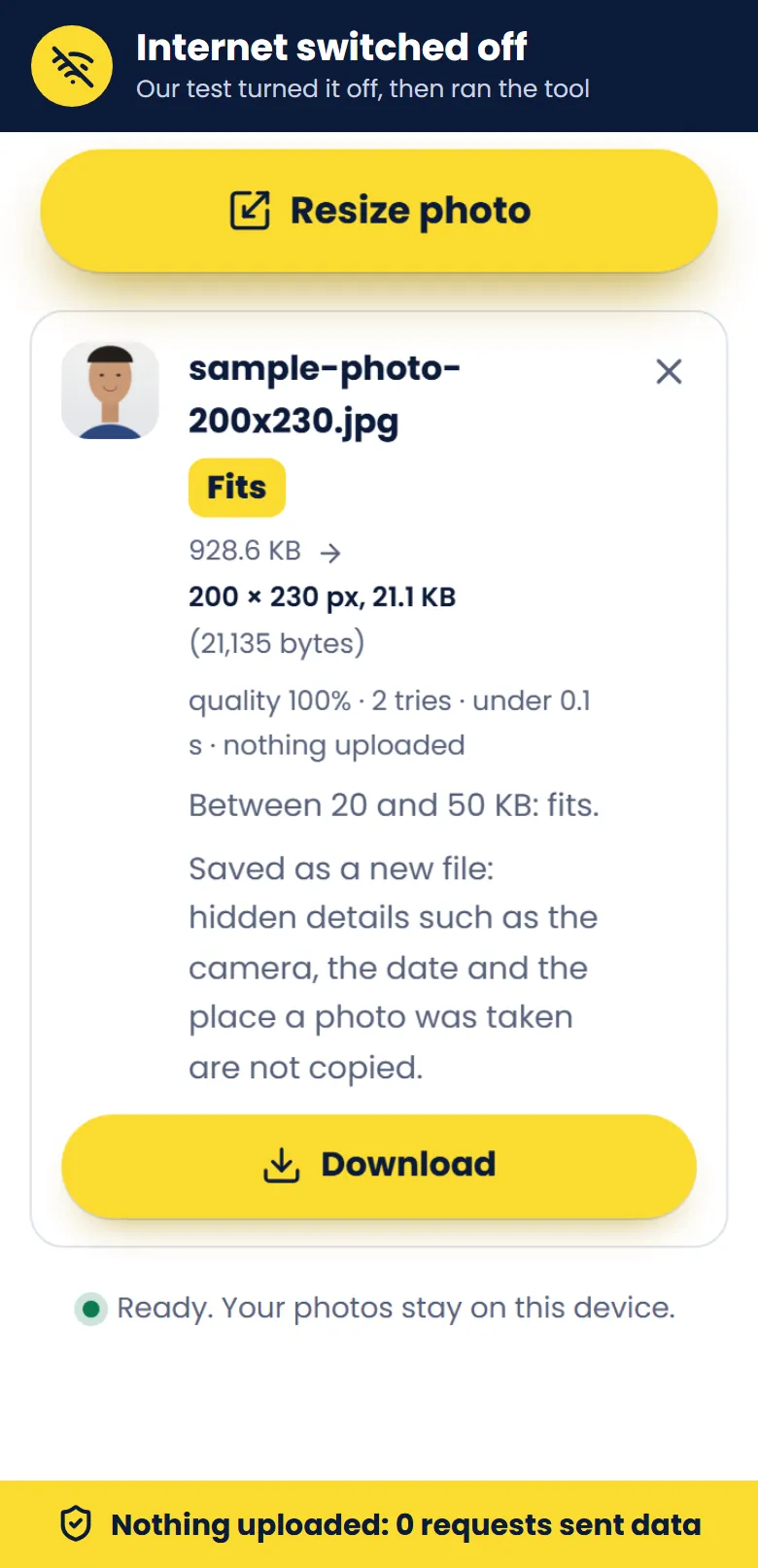
- Choose your photograph. The Exam or form list already says IBPS PO/MT-XVI: Photo, 200 × 230 px, 20 to 50 KB.
- Crop it around your head and shoulders with the Crop button on its row; see Crop before you resize.
- Press Resize photo, check the line says Fits with 200 × 230 px, and download it.
- For each of the other three, remove the last picture with the × on its row, choose the next picture, pick its setting in the Exam or form list (Signature, Left thumb impression or Handwritten declaration), crop if needed, and resize.
- Name the files so you upload each in its own box: photo.jpg, signature.jpg, thumb.jpg and declaration.jpg.
- Upload each in its own box on the IBPS form, look at the preview it shows, and upload again any picture that looks unclear or smudged there.
The photograph
IBPS's guidelines for the photograph, in short:
- A recent passport style colour picture, taken against a light-coloured, preferably white, background.
- Look straight at the camera with a relaxed face.
- No harsh shadows: on a sunny day have the sun behind you or stand in the shade, so you are not squinting; with a flash, make sure there is no red-eye.
- Glasses only without reflections, with your eyes clearly seen. Caps, hats and dark glasses are not acceptable. Religious headwear is allowed, but it must not cover your face.
The notification gives the photograph as 4.5 cm × 3.5 cm and also as 200 × 230 pixels; the two don't have quite the same shape. This page follows the pixels, which is what the upload checks, and IBPS calls them preferred.
The live photo is taken on the form
As well as the photograph you upload, IBPS asks you to capture a live photograph while filling in the form: Capture Photo uses your webcam, and Click here to Scan shows a QR code that opens a page on your phone's camera. Its dos and don'ts match the photograph's: a light, preferably white background and good light; no cap, no coloured glasses or sunglasses, no mask, no shadow on the face, and not a small or blurred picture. That photo is taken and uploaded by IBPS's own form; this page prepares the other one.
Crop before you resize
Every IBPS picture has a fixed shape: 200 × 230 pixels is a little taller than wide, 140 × 60 is long and low, 240 × 240 is square and 800 × 400 twice as wide as tall. When a picture has another shape, the IBPS settings crop it to theirs from the middle. That suits a passport photo or a well-framed signature, but on a phone photo of a whole person, the middle may be your chest.
So crop first: press Crop on the picture's row and draw the box around what should be in the file, your head and shoulders, the signature with a little white around it, the thumb print, or the whole declaration. The resizer then fits the cropped part to IBPS's shape.
The signature
IBPS asks you to sign on white paper with a black ink pen, and says a signature in capital letters will not be accepted. The file is 140 × 60 pixels and 10 to 20 KB. Sign in the space of a normal signature, not huge, photograph it from straight above in daylight, and crop close with a little white margin, so the signature fills the long, low shape. A faint pen or a shadow across the paper is the usual reason a signature looks grey and blurred at 140 pixels wide.
The left thumb impression
Put your left thumb impression on white paper with black or blue ink, from a stamp pad, and photograph or scan it. The file is a JPG of 240 × 240 pixels at 200 DPI, 3 cm × 3 cm, and 20 to 50 KB. Press firmly, so the ridges show clearly, and crop to a square around the print.
The notification says what to do if you can't give a left thumb impression: use the right thumb; if both thumbs are missing, a finger of the left hand starting from the forefinger; if there are no fingers on the left hand, one of the right hand starting from the forefinger; if no fingers at all, the left toe. In all these cases, write in the uploaded document which finger, hand or toe it is.
The handwritten declaration
Write it in English, in your own handwriting, with black ink on white paper, and not in capital letters. The text in the notification is:
"I, __________ (Name of the candidate), hereby declare that all the information submitted by me in the application form is correct, true and valid. I will present the supporting documents as and when required."
Write your name in the blank. IBPS says a declaration written by anybody else, or in any other language, makes the application invalid. Candidates who cannot write may have the text typed and put their left thumb impression below it, and upload that. The file is a JPG of 800 × 400 pixels at 200 DPI, 10 cm × 5 cm, and 50 to 100 KB: write on a strip of paper about twice as wide as tall, or crop to that shape, so the words aren't squeezed.
The 10th certificate: a PDF up to 500 KB
The SSC, SSLC or 10th standard certificate, and the certificate under Clause J (ix) for those it applies to, are PDFs of A4 pages, not more than 500 KB, clear and readable. Photograph or scan the certificate flat, make the PDF with JPG to PDF on A4, and if it comes out over 500 KB, Compress PDF to 500 KB brings it under. Then open it and zoom in on your name and date of birth before you upload.
If you use a scanner
The notification's own advice for scanning: set the scanner to at least 200 dpi and to True Colour, crop the scan to the edge of the photograph, signature, thumb impression or declaration, and save it as a JPG or JPEG, with a name such as image01.jpg. It suggests MS Paint or a similar program to save a scan in JPG and to crop and resize it; this page does the cropping and resizing in one go, to IBPS's exact pixels and KB, on any phone or computer. A scan is usually cleaner than a phone photo for the signature, the thumb impression and the declaration, because the paper lies flat and evenly lit.
200 DPI and centimetres
DPI says how many pixels make an inch of paper. 240 pixels at 200 DPI is 1.2 inches, about 3 cm, which is why IBPS writes the thumb impression as 240 × 240 pixels or 3 cm × 3 cm; 800 × 400 at 200 DPI is about 10 cm × 5 cm. The IBPS settings here write 200 DPI into the thumb and declaration files, where the notification asks for it. The DPI number doesn't change the pixels or the KB: it only says how big the picture would print.
Why a small signature still weighs 10 KB
A JPG of only 140 × 60 pixels is usually far smaller than 10 KB, even at the best quality, so a form that asks for 10 to 20 KB would refuse it. In our tests both signatures came out at exactly 10,240 bytes, the 10 KB minimum: the resizer first raised the quality to 100, then added blank space inside the file, which no viewer shows and which doesn't change the picture. The same happens to any picture that is too small for its range.
Why uploads fail, and the fix
| The problem | The fix |
|---|---|
| The file is over the top size | Resize it here with its IBPS setting |
| The signature is under 10 KB | Resize it here: it is raised to the minimum |
| The file is a PNG or a phone format | The results here are always JPG |
| The signature or declaration is in capital letters | Sign and write again in your usual handwriting |
| The picture is cut in the wrong place | Crop it yourself before resizing |
| A file went into another file's box | Name your files clearly, one for each box |
IBPS says the form shows an error message when a file's size or format is wrong, and that the preview helps you see the quality: if a picture looks unclear or smudged there, upload it again.
Sign the same way on the exam day
The notification warns that if your signature on the attendance sheet or the call letter, signed at the exam, doesn't match the signature you uploaded, you will be disqualified. So upload the signature you really use, and sign the same way at the exam centre. The signature, thumb impression and declaration must be yours, not anyone else's.
Private: your pictures stay on your device
Your photo, signature, thumb impression and declaration are resized inside your browser; they are never uploaded to us, and once loaded the page works with the internet switched off. Each result is a new file, so the camera model, the date and the GPS place a phone stores in a photo are not copied into it. Google's ad code runs on the page too, but our code never gives it your pictures. How we prove it shows how anyone can check.
Problems and fixes
- The Exam or form list isn't showing
- It appears once a picture is added. Choose your picture first.
- The list no longer says IBPS
- You changed a setting by hand, which clears the preset. Pick the IBPS setting again.
- My face is cut off in the photo
- Crop around your head and shoulders before you press Resize photo.
- An iPhone photo won't open
- Some browsers can't open HEIC. Set the camera to Most Compatible, or take a screenshot of the photo, and use that JPG.
Limits
- It doesn't take the live photograph: IBPS's form does that.
- It doesn't change backgrounds or judge your handwriting; it sizes what you give it.
- Its IBPS settings follow the PO/MT-XVI notification as read on 31 October 2026; your exam's notification comes first.
- It isn't IBPS's site, and nothing here submits your application.
Terms explained
- IBPS
- The Institute of Banking Personnel Selection, which runs recruitment exams for public sector banks.
- CRP PO/MT-XVI
- The 16th Common Recruitment Process for Probationary Officers and Management Trainees.
- Annexure III
- The notification's guidelines for scanning and uploading the pictures and documents.
- Pixels
- The tiny dots a picture is made of; 200 × 230 means 200 across and 230 down.
- DPI
- Dots per inch: how many pixels make an inch of paper when the picture is printed.
- Call letter
- The admit card IBPS issues for each stage of the exam.
- Preferred
- IBPS's word for the pixel sizes: the size it asks for, though the KB range is the hard limit the form checks.