What this page does, and when you need it
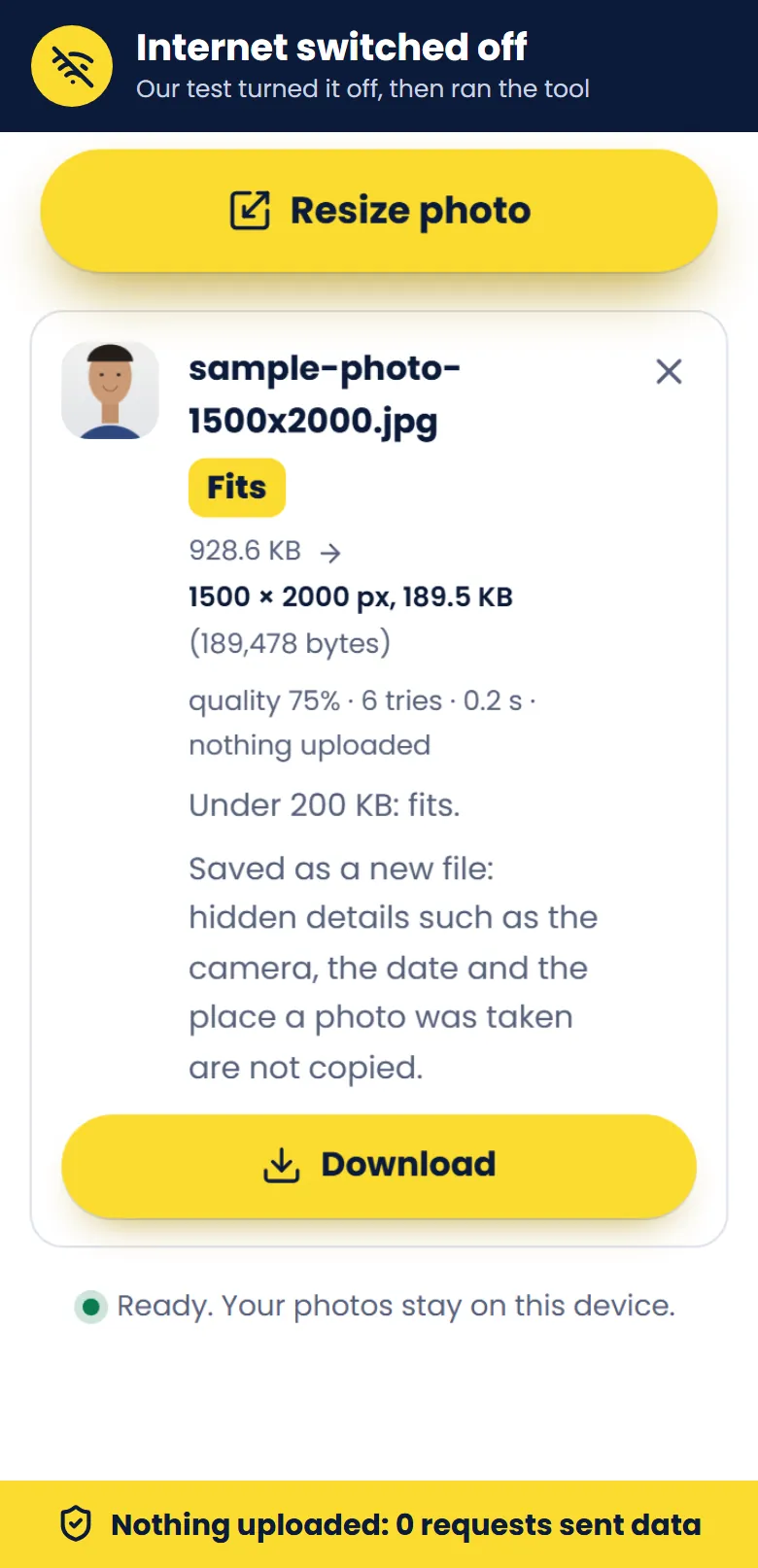
This page brings a picture under 200 KB, the most generous limit common in Indian forms, while keeping as much of it as the size allows. 200 KB is picked when the page opens: add the photo or the page, press Resize photo, and download a JPG that fits. Nothing is uploaded to us: the work happens in your own browser, and there is no sign-up.
200 KB is the usual top for:
- Exam photos, in JEE (Main), NEET (UG) and UPSC forms.
- Scholarship documents on the National Scholarship Portal, as a picture or a PDF.
- A whole page photographed on a phone, which needs room to stay readable.
For tighter limits there are pages set to 20 KB, 50 KB and 100 KB, and for JEE's two uploads, the JEE Main page.
Forms that allow up to 200 KB
| Form and upload | The rule | Read |
|---|---|---|
| JEE (Main) 2027, photograph | JPG/JPEG, 10 to 200 kB, colour, 80% face, white background | 31 October 2026 |
| NEET (UG) 2026, photo | JPG, 10 to 200 KB | 8 October 2026 |
| UPSC CAPF (ACs) 2026, photo | JPG, 20 to 200 KB | 8 October 2026 |
| National Scholarship Portal, each document | Up to 200 KB, as a JPG or a PDF | 8 October 2026 |
From NTA's JEE (Main) 2027 and NEET (UG) 2026 bulletins, the UPSC CAPF (ACs) 2026 notice and the National Scholarship Portal's FAQ. Each body can change its rules with a new notice; check the current one.
Real results from our tests
On 31 October 2026 we resized 5 test pictures with 200 KB chosen, in Chromium on a Windows 11 laptop:

| Picture | Before | After | How |
|---|---|---|---|
| A 12-megapixel phone photo | 2.37 MB, 3000 × 4000 px | 180.2 KB, 2066 × 2755 px | Quality 75, fewer pixels, 1.7 seconds |
| A 48-megapixel phone photo | 9.93 MB, 8000 × 6000 px | 189.7 KB, 1884 × 1413 px | Quality 75, fewer pixels, 1.9 seconds |
| A scanned passport photo | 150.5 KB, 600 × 800 px | 117.8 KB, 600 × 800 px | Quality 92, at the first try |
| A phone photo of a signature | 282.8 KB, 2000 × 900 px | 197 KB, 2000 × 900 px | Quality 81, every pixel kept |
| A photo of a handwritten page | 473.7 KB, 2480 × 1240 px | 198.5 KB, 2480 × 1240 px | Quality 77, every pixel kept |
What the numbers mean: all 5 pictures fitted, at 117.8 to 198.5 KB, each in about 2 seconds or less. The page and the signature kept every pixel; only the two full phone photos gave some up, and the passport photo didn't need the room at all.
On a first visit the page downloads about 0.1 MB for the tool: the page, its styles, its scripts and the fonts, with Google's ad code not counted.
One phone photo at four sizes
The same 12-megapixel test photo, resized to each common limit on the same day:
| Limit | Pixels kept | File |
|---|---|---|
| 20 KB | 688 × 917 | 18.7 KB |
| 50 KB | 1271 × 1694 | 47.3 KB |
| 100 KB | 1673 × 2231 | 95.3 KB |
| 200 KB | 2066 × 2755 | 180.2 KB |
Each step up buys less than the one before: from 20 to 50 KB the width nearly doubles, from 50 to 100 KB it grows by about a third, and from 100 to 200 KB by about a quarter. For a face photo, anything from 50 KB up is more than a form shows; the extra room at 200 KB matters most for pages of writing.

Step by step
- Add your picture. 200 KB is already chosen under File size.
- Type a minimum in From if the form has one: 10 for JEE and NEET photos, 20 for UPSC's.
- Crop to the face, or to the page's edges, with the button on the picture's row.
- Press Resize photo, check it says Fits, and download the JPG.
Why a file can stay well under 200 KB
The resizer never fills a limit for the sake of it. It starts at quality 92, a level where a JPG looks like the original, and if the picture already fits there, it stops: our passport photo came out at 117.8 KB at the very first try. Making it 200 KB would add bytes but no detail you could see. A form with only a top limit accepts anything below it, so a result well under 200 KB is not a problem. If your form also sets a bottom, type it in the From box and the resizer makes sure the file reaches it.
Exam photos up to 200 KB
JEE (Main) and NEET (UG) ask for a recent colour photo against a white background, with the face filling about 80% of it, ears showing and no mask; both also take a live photo on the portal while you fill in the form. A size of 200 KB is far more than such a photo needs, so the limit itself is easy; what decides whether a photo passes is how it was taken. Stand in front of a white wall, face a window in daylight, have someone else hold the phone at your eye level, and crop to your head and shoulders before resizing.
Scholarship documents under 200 KB
The National Scholarship Portal's FAQ says each document can be up to 200 KB, as a JPG or a PDF: income certificates, caste certificates, mark sheets, fee receipts and bank passbooks. Photograph each document flat in daylight, crop to its edges and resize it here. Our handwritten page kept all its 2480 × 1240 pixels at 198.5 KB, so a typical certificate fits with its small print readable. Name each file after the document before uploading, such as income-certificate.jpg, so nothing goes into the wrong slot. For a bank passbook, photograph the first page with your name, account number and IFSC, which is the page portals usually ask for, and check your scholarship's own instructions.
A full page as one picture
200 KB is the first common limit at which a whole page photographed on a phone keeps its full size. Our test page of 2480 × 1240 pixels, about the width of an A4 sheet scanned at 300 DPI, came down from 473.7 KB to 198.5 KB without losing a pixel, at quality 77. To get the most from it:
- Fill the frame with the page, held flat, so no pixels are spent on the table.
- Use daylight, not a ceiling bulb, so the paper is white rather than grey.
- Crop to the edges before resizing.
One picture or a PDF?
When a form takes either, use a JPG from here for one photographed page and a PDF for several pages or for a document typed on a computer, whose text stays sharp at any size in a PDF. JPG to PDF puts pages together and Compress PDF to 200 KB brings the PDF under the same limit.
A minimum with 200 KB
Exam photos usually come with a bottom as well as a top: 10 to 200 KB for JEE (Main) and NEET (UG), 20 to 200 KB for UPSC. A good photo is never near the bottom, but a tiny or heavily cropped one can be. With the minimum typed in the From box, a file that would come out too small is raised over it, first with a higher quality and then with blank space inside the file that no viewer shows.
One original, many forms
The same photo often goes into several forms with different limits: 200 KB for one, 50 KB for another, 20 KB for a third. Keep the original from the camera in a safe folder and make each size from it, rather than shrinking the 200 KB copy down to 50 and then to 20. Every time a JPG is saved again at a lower quality it loses a little more detail, so a copy of a copy of a copy looks worse than one made straight from the original at the same size.
A photo from a studio
Photo studios often give a digital copy along with the prints, usually a large JPG of several megabytes, taken against a proper white background. That is an excellent starting point: add it here, crop if the studio left a wide border, and resize. If you have only the printed photo, scan it at 300 DPI or photograph it flat in daylight without glare, then resize the scan. A scan of a print loses a little sharpness, so prefer the studio's digital file when there is one.
JEE's other uploads
Alongside the photo, the JEE (Main) 2027 form takes the signature as a JPG of 10 to 100 kB and the Class 10 certificate or mark sheet as a PDF of 50 to 300 kB. For the signature, Resize Image to 100 KB or the JEE page does it; for the certificate, make a PDF with JPG to PDF and bring it under 300 kB with Compress PDF to 300 KB.
On a phone
Everything works in the phone's own browser, Chrome on Android or Safari on an iPhone, with no app to install. The result goes to Downloads on Android or to Files on an iPhone, where the form's upload button can find it. Once the page has loaded, the resizing needs no internet at all, which helps on a weak signal or a small data pack: only the final upload to the form uses data, and 200 KB is a twelfth of the original's.
How big a 200 KB picture prints
At 300 DPI, studio sharpness, our 200 KB phone photo of 2066 × 2755 pixels would print about 17.5 × 23.3 cm, and the 2480 × 1240 page about 21.0 × 10.5 cm, as wide as an A4 sheet. A 200 KB file therefore holds far more than a form will ever print or show, and nothing is lost by the limit for a photo or a single page.
A worked example: a JEE photo
A candidate's 12-megapixel phone photo is 2.37 MB, more than ten times JEE (Main)'s 200 kB limit. With 10 typed in From and 200 in To, Resize photo gives a 180.2 KB JPG of 2066 × 2755 pixels at quality 75, inside NTA's 10 to 200 kB, in under 2 seconds. Before resizing, the candidate should crop it to head and shoulders, so the face fills about 80% of the picture as the bulletin asks; the result then differs a little from ours but stays inside the limit. After uploading, they check the preview on the form, print the two extra copies of the same photo that NTA asks candidates to bring on exam day, and keep the camera's original in a safe folder in case the form needs a fresh upload later. The JEE Main page has NTA's two settings ready.
When the background is wrong
A photo against a cream wall, a cupboard or a crowded room is a common reason exam forms are rejected later, at verification, even though the file size was right. This page resizes; it doesn't paint backgrounds, and a photo with a painted-in background can look wrong next to the live photo the portal takes of you. Take the photo again against a white wall or a white sheet pinned behind you, in daylight, and resize the new one.
What the form's preview tells you
Most forms show a small preview of each uploaded picture. A 2066 × 2755 pixel photo shrinks to a few centimetres there, so the preview shows composition, not sharpness: is the face large and centred, the background plain, the photo upright? For pages, the preview is often too small to read; open your downloaded JPG on the phone and zoom in instead before you submit.
When even 200 KB is not enough
A single photographed page fits easily, but some uploads don't: a mark sheet with very small print photographed from far away, a two-page certificate in one picture, or a poster full of text. Crop to the part the form needs, photograph each page separately if the form takes several files, or make a PDF of the pages and compress it, since a PDF keeps typed text sharp at any size.
Several documents at once
For a scholarship application with five or six documents, add all the photos together and press Resize photo once: each comes out under 200 KB with the same settings, named after its original with its new pixels, and Download all (ZIP) saves them in one file. Unzip it, rename each file for its slot, and upload them one by one.
File names
Each result is named after its original with the new pixels added, such as photo-2066x2755.jpg, so the resized copy never overwrites the original and you can tell them apart. Some portals show the file name next to the preview; a clear name, like jee-photo.jpg or income-certificate.jpg, makes a mix-up between slots easy to spot.
How 200 KB is counted
Forms count a KB as 1,000 or 1,024 bytes, so the resizer keeps the top at 200,000 bytes, under 200 KB either way: our largest result was 198,494 bytes. A bottom, such as 10 KB, is counted as 10,240 bytes, the larger reading, so it passes either way too.
Private: your photo and papers stay on your device
Photos of your face, certificates and bank passbooks are private papers. On this page they are resized by your own browser and never uploaded to us; once loaded, the page works without the internet. The saved JPG is a new file without the camera, date and GPS place a phone stores in its photos. Google's ad code runs on the page too, but our code never gives it your pictures. How we prove it describes the checks.
Problems and fixes
- The form refuses a photo that is under 200 KB
- Read its other rules: a minimum, a file type such as JPG only, or a face and background rule.
- The page is hard to read
- It was photographed at an angle or in poor light. Retake it flat in daylight and crop to the edges.
- The result is much smaller than 200 KB
- It already looked like the original at quality 92, so no more bytes were needed. Forms with only a top accept it.
- The photo is sideways on the form
- Download it from here again: the resizer turns phone photos the right way up.
Limits
- It doesn't change backgrounds or measure how much of a photo your face fills.
- It doesn't straighten a page taken at an angle.
- For several pages in one upload, make a PDF instead.
Terms explained
- KB and kB
- Kilobytes, about a thousand bytes each; 200 KB is about a twelfth of a 12-megapixel phone photo.
- JPG quality
- How much detail a JPG keeps, from 1 to 100; at 92 it looks like the original.
- Pixels
- The dots a picture is made of: 2066 × 2755 is about 5.7 million.
- DPI
- Dots per inch: how many pixels make an inch of paper when printed.
- Generation loss
- The detail a JPG loses each time it is saved again at a lower quality.
- NSP
- The National Scholarship Portal, where central government scholarships are applied for.