What this page does, and when you need it
This page brings a photo, a signature, a thumb impression or a handwritten page under 50 KB, a size that leaves room for real detail. 50 KB is chosen when the page opens, so a picture needs only one press of Resize photo to become a JPG that fits. The resizing runs in your browser on your own phone or computer: your pictures are never uploaded to us, and there is no account to make.
It suits:
- Bank exam forms that want a photograph or a thumb impression of up to 50 KB.
- Forms with 50 KB as the minimum, such as a declaration of 50 to 100 KB, where a tiny file is refused.
- A handwritten page or a note that must stay readable under a small limit.
For a tighter limit, Resize Image to 20 KB is set for it; for exact exam pixels, see IBPS Photo and Signature Resizer; and Reduce Image Size in KB takes any range.
Forms that use 50 KB
| Form and upload | The rule | Read |
|---|---|---|
| IBPS PO/MT-XVI, photograph | 200 × 230 pixels, 20 to 50 KB | 31 October 2026 |
| IBPS PO/MT-XVI, left thumb impression | 240 × 240 pixels at 200 DPI, 20 to 50 KB | 31 October 2026 |
| IBPS PO/MT-XVI, handwritten declaration | 800 × 400 pixels at 200 DPI, 50 to 100 KB: 50 KB is the minimum | 31 October 2026 |
| NEET (UG) 2026, fingers and thumb impressions | Page 16 of the bulletin says 10 to 200 KB and page 17 says 50 to 300 KB; 50 to 200 KB meets both | 8 October 2026 |
The IBPS rules are in Annexure III of the PO/MT-XVI notification, and the NEET ones in the NEET (UG) 2026 Information Bulletin. Each new notice can change them; the one for your form decides.
Real results from our tests
On 31 October 2026 we resized 5 test pictures with 50 KB chosen, in Chromium on a Windows 11 laptop:

| Picture | Before | After | How |
|---|---|---|---|
| A 12-megapixel phone photo | 2.37 MB, 3000 × 4000 px | 47.3 KB, 1271 × 1694 px | Quality 75, fewer pixels, 1.4 seconds |
| A 48-megapixel phone photo | 9.93 MB, 8000 × 6000 px | 50 KB (49,963 bytes), 774 × 580 px | Quality 75, fewer pixels, 2.1 seconds |
| A scanned passport photo | 150.5 KB, 600 × 800 px | 48.7 KB, 600 × 800 px | Quality 84, pixels kept |
| A phone photo of a signature | 282.8 KB, 2000 × 900 px | 49.9 KB, 1258 × 566 px | Quality 75, fewer pixels |
| A photo of a handwritten page | 473.7 KB | 46.1 KB, 1261 × 631 px | Quality 75, fewer pixels |
What the numbers mean: all 5 pictures fitted, at 46.1 to 50 KB, each in about 2 seconds or less, and the largest still came in under 50,000 bytes. A full phone photo kept 1271 × 1694 pixels, more than most forms will ever show.
On a first visit the page downloads about 0.1 MB for the tool: the page, its styles, its scripts and the fonts, with Google's ad code not counted.
What 50 KB buys over 20 KB
The same pictures at the two limits, from our tests on the same day:
| Picture | At 20 KB | At 50 KB |
|---|---|---|
| 12-megapixel phone photo | 688 × 917 px | 1271 × 1694 px |
| Signature photo | 721 × 324 px | 1258 × 566 px |
| Handwritten page | 686 × 343 px | 1261 × 631 px |
| Passport photo, 600 × 800 px | Quality 63 | Quality 84 |
2½ times the bytes gives about 1.8 times the width, over three times the pixels in all. For a face photo either is enough for a form; for writing, the difference is between hard to read and readable. So when a form allows 50 KB, there is no reason to send it 20, and when it allows 100 KB, Resize Image to 100 KB keeps about 1670 × 2230 pixels of the same phone photo.

Step by step
- Choose your picture. Under File size, 50 KB is already picked.
- If the form gives a minimum too, type it in the From box; see the ranges below.
- Crop with the button on the picture's row if there is empty background or paper around what matters.
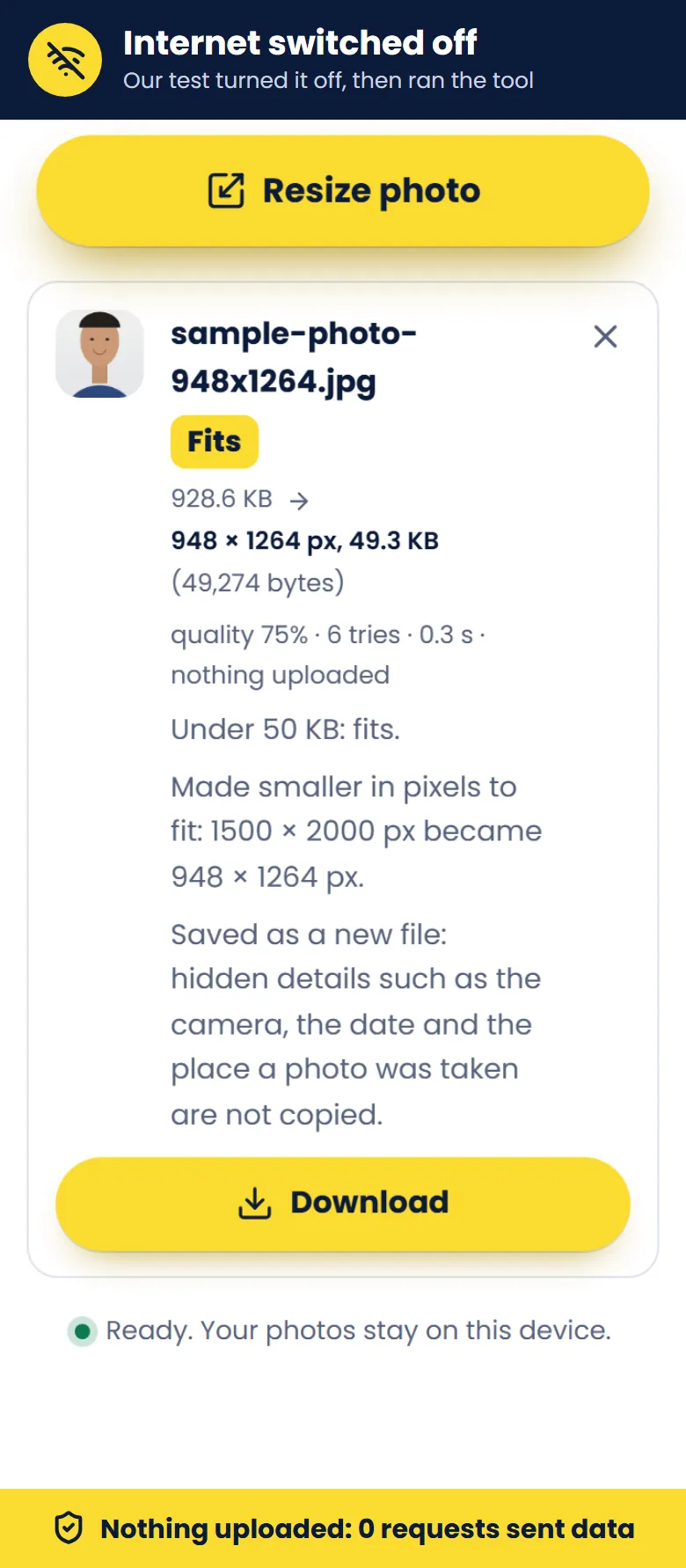
- Press Resize photo and read the result line: Fits, the size in KB and bytes, and the pixels.
- Download, or Download all (ZIP) for several pictures, and upload.
20 to 50 KB, and 50 to 100 KB
50 KB is a top in some forms and a bottom in others:
- "20 to 50 KB" (IBPS photograph and thumb): type 20 in From and keep 50 in To. A picture that comes out smaller than 20 KB is raised to the minimum.
- "50 to 100 KB" (IBPS declaration): type 50 in From and 100 in To, or choose 100 KB and add the 50. A file of 40 KB would be refused, however sharp.
- "Up to 50 KB": leave From empty, and anything up to 50 KB fits.
A file under its minimum gets its quality raised first, then blank space added inside the file, which leaves the picture exactly as it was.
How the resizer chooses: quality or pixels
Two things decide a JPG's size: how many pixels it has, and its quality. The resizer first asks whether the picture fits with all its pixels at quality 60. If it does, every pixel is kept and the best quality that fits is chosen, up to 92: our 600 × 800 passport photo kept all its pixels at quality 84. If even quality 60 is too big, the picture is made smaller in pixels instead, at quality 75, because a smaller picture at a good quality looks better than a big one full of blocks: our 12-megapixel photo came out at 1271 × 1694 pixels and quality 75. The result line always says which it did.
Thumb impressions at 50 KB
A thumb impression is ink ridges on white paper, so its bytes go into the ridges. Press the thumb evenly on a stamp pad and then on plain white paper, photograph it from straight above in daylight, and crop to a square around the print: the less white paper in the picture, the more of the 50 KB goes to the ridges. IBPS asks for 240 × 240 pixels at 200 DPI and 20 to 50 KB; our thumb impression came out at 33.4 KB with the IBPS setting. For NEET, check the bulletin's two ranges in the table above.
NEET's two ranges for finger and thumb impressions
The NEET (UG) 2026 bulletin gives two different ranges for the fingers and thumb impressions: 10 to 200 KB on page 16 and 50 to 300 KB on page 17. A file of 50 to 200 KB satisfies both, which is what the NEET setting in Reduce Image Size in KB makes. Here, type 50 in the From box and 200 in the To box for the same result. When the 2027 bulletin appears, check whether NTA has made the two pages agree.
Handwritten pages at 50 KB
Our photo of a handwritten page came out 1261 pixels wide at 46.1 KB, enough to read clear writing. To keep it readable:
- Write large and dark, with a black pen, and leave space between lines.
- Crop away the margins and the table around the paper before resizing.
- Photograph in daylight, flat and from straight above, so the paper is evenly white.
For a declaration with fixed pixels, like IBPS's 800 × 400 at 200 DPI and 50 to 100 KB, use the IBPS page instead, where those numbers are set.
A short declaration on a clean white page can even come out under a 50 KB minimum, because white paper takes almost no bytes. Our IBPS test declaration landed at 88.7 KB, but a few neat lines might not; with 50 in the From box, such a file is raised to the minimum without any change you could see.
Why busy photos keep fewer pixels
A JPG stores plain areas cheaply and fine detail expensively. Our 48-megapixel test photo is full of fine detail, so at 50 KB it kept only 774 × 580 pixels, while the 12-megapixel photo, with a plainer background, kept 1271 × 1694. Your own photo will land somewhere between, depending on what is in it. For a form photo, a plain wall behind you is the simplest way to keep more pixels.
A worked example: a bank exam form's four pictures
A candidate filling an IBPS form needs a photograph of 20 to 50 KB, a signature of 10 to 20 KB, a thumb impression of 20 to 50 KB and a declaration of 50 to 100 KB, each with fixed pixels. With the IBPS settings, our test files came out at 34.3 KB, 10.2 KB, 33.4 KB and 88.7 KB, every one inside its range and at IBPS's exact pixels. This page, with 50 KB and the From box, can do the KB part for any such form; the IBPS page also sets the pixels, which IBPS's form checks.
How big a 50 KB photo is on paper
Pixels become centimetres only when a picture is printed. At 200 DPI, the sharpness many forms use for printing, our 50 KB phone photo of 1271 × 1694 pixels would print about 16.1 × 21.5 cm, and even at 300 DPI, photo-shop sharpness, about 10.8 × 14.3 cm. A photo on an admit card or an ID is about 3.5 × 4.5 cm. So a 50 KB photo has far more detail than any form will print; the 20 KB version, 688 × 917 pixels, still prints 5.8 × 7.8 cm at 300 DPI, bigger than a passport photo.
A picture or a PDF?
Some forms take either a JPG or a PDF under 50 KB. For a single photo, a signature or one page photographed on a phone, the JPG made here is usually clearer at the same size, because a PDF wraps the same picture in its own extra bytes. For several pages, or a document that was typed on a computer, a PDF is the right choice: JPG to PDF joins pictures into one file and Compress PDF to 50 KB brings it under the limit, keeping typed text sharp at any size.
Signatures with room to spare
At 50 KB a signature has room for every stroke: ours kept 1258 × 566 pixels, enough for even a thin pen. Where the form gives a smaller top, such as 20 KB, the signature simply loses pixels, and where it gives exact pixels, such as IBPS's 140 × 60, those decide and the KB follows. If your form asks only for "a signature under 50 KB", sign on white paper with a dark pen, crop close, and this page does the rest in one press.
Straight from the phone
Most people fill these forms on a phone, often from a cyber café's link or a coaching group's message. The page runs in the phone's own browser: tap Choose photos, pick from the gallery or take a new photo, press Resize photo, and the JPG lands in Downloads, or Files on an iPhone, ready to attach. Once the page has loaded, a weak signal doesn't matter, because nothing goes over the network while the picture is resized.
A last look before you upload
- The size: the result line shows KB and bytes; compare them with the form's numbers, top and bottom.
- The pixels: if the form gives pixels, check they match exactly.
- The picture: open the saved file and zoom in; faces should be sharp around the eyes, writing readable without guessing.
- The right box: upload each file in its own place on the form; a photo in the signature box is the most common slip.
File names and many files
Each result is named after the original with its new pixels added, such as signature-1258x566.jpg, so you can tell the resized copy from the original at a glance. Add several pictures together and press Resize photo once: each is brought under 50 KB with the same settings, and Download all (ZIP) saves them in one file. Rename each before uploading if the form asks for names such as photo.jpg.
How 50 KB is counted
The top of a range is counted at 1,000 bytes to the KB, so 50 KB here means at most 50,000 bytes, which passes whether a form counts in thousands or in 1,024s. The bottom of a range is counted at 1,024 bytes, so a 20 KB minimum means at least 20,480 bytes. Our largest result, 49,963 bytes, shows how close to the top the resizer aims without crossing it.
Private: nothing of your pictures leaves your device
Photos of your face, your signature and your thumb impression are the kind of thing you shouldn't have to hand to a website, and here you don't: they are resized by your browser and never uploaded to us. Once the page has loaded it works offline. Each saved JPG is a new file, so the camera, date and GPS place stored in a phone photo are left behind. Google's ad code runs on the page too, but our code never gives it your pictures. How we prove it explains how to check.
Problems and fixes
- The form says the file is under 50 KB
- It wants 50 KB as a minimum. Type 50 in the From box and a top in To, such as 100, and resize again.
- The handwriting is hard to read
- Crop the margins away first, and photograph the page again in daylight with darker ink.
- The thumb print looks like a smudge
- Use less ink and press evenly, then crop close to the print.
- The photo looks soft
- It started soft: phone photos of photos, and pictures from chats, have lost detail already. Use the original from the camera.
- The result says Over
- Fixed pixels left no room: allow fewer pixels, or crop, or ask for a bigger size if the form allows it.
Limits
When a form allows more than 50 KB, use more: a 100 KB or 200 KB photo keeps more pixels and a higher quality, and nothing is gained by going smaller than the form needs. Change the File size here, or type the form's top in the To box.
- It can't make a dark or blurred picture sharp; it only makes it smaller.
- It doesn't straighten a page photographed at an angle.
- For PDFs, use Compress PDF to 50 KB instead.
Terms explained
- KB
- A kilobyte, about a thousand bytes; 50 KB is about a fortieth of a typical phone photo.
- Quality (JPG)
- A number from 1 to 100 for how much detail a JPG keeps.
- Range
- A smallest and largest size together, such as 20 to 50 KB.
- Thumb impression
- An inked print of the thumb on paper, used in place of or beside a signature.
- Bulletin and notification
- The official documents in which NTA and IBPS publish an exam's rules, sizes and dates.
- Megapixel
- A million pixels; a 12-megapixel photo is about 3000 × 4000 pixels.