What this page does, and when you need it
This page makes a picture smaller than 100 KB: a signature, a declaration, a photo of a page or a phone photo. 100 KB is chosen as the page opens, so you add the picture, press Resize photo and get a JPG under the limit, at the best quality that fits. The resizer works inside your browser, so your pictures are never uploaded to us, and you don't sign up for anything.
100 KB is the size forms most often give for:
- Signatures, in exam forms such as JEE (Main), NEET (UG) and UPSC.
- Handwritten declarations, such as IBPS's, which also need at least 50 KB.
- Pages photographed on a phone, when a form takes a picture rather than a PDF.
Smaller limits have their own pages, 20 KB and 50 KB; exams with fixed pixels have theirs, such as JEE Main and IBPS.
Forms that stop at 100 KB
| Form and upload | The rule | Read |
|---|---|---|
| JEE (Main) 2027, signature | JPG/JPEG, 10 to 100 kB | 31 October 2026 |
| NEET (UG) 2026, signature | JPG, 10 to 100 KB | 8 October 2026 |
| UPSC CAPF (ACs) 2026, signature | JPG, 20 to 100 KB, three signatures one below the other | 8 October 2026 |
| IBPS PO/MT-XVI, handwritten declaration | 800 × 400 pixels at 200 DPI, 50 to 100 KB | 31 October 2026 |
The papers: NTA's JEE (Main) 2027 bulletin and NEET (UG) 2026 bulletin, the UPSC CAPF (ACs) 2026 notice and the IBPS PO/MT-XVI notification. A new notice can change any of them; the one for your form decides.
Real results from our tests
On 31 October 2026 we resized 5 test pictures with 100 KB chosen, in Chromium on a Windows 11 laptop:

| Picture | Before | After | How |
|---|---|---|---|
| A 12-megapixel phone photo | 2.37 MB, 3000 × 4000 px | 95.3 KB, 1673 × 2231 px | Quality 75, fewer pixels, 1.7 seconds |
| A 48-megapixel phone photo | 9.93 MB, 8000 × 6000 px | 96.7 KB, 1191 × 893 px | Quality 75, fewer pixels, 2.2 seconds |
| A scanned passport photo | 150.5 KB, 600 × 800 px | 98.6 KB, 600 × 800 px | Quality 90, every pixel kept |
| A phone photo of a signature | 282.8 KB, 2000 × 900 px | 90.2 KB, 2000 × 900 px | Quality 72, every pixel kept |
| A photo of a handwritten page | 473.7 KB | 94.7 KB, 1892 × 946 px | Quality 75, fewer pixels |
What the numbers mean: all 5 pictures fitted, at 90.2 to 98.6 KB, each in about 2 seconds or less. At 100 KB a signature and a passport photo keep every pixel they came with; only the full phone photos and the page give up pixels.
On a first visit the page downloads about 0.1 MB for the tool: the page, its styles, its scripts and the fonts, with Google's ad code not counted.
What 100 KB holds
100 KB is about a twenty-fourth of a 12-megapixel phone photo, and enough for most single pictures a form asks for:
- A phone photo at about 1670 × 2230 pixels, close to 4 megapixels, sharp enough to print a passport photo many times over.
- A signature at its full 2000 × 900 pixels, every pen stroke intact.
- A handwritten page about 1890 pixels across, comfortably readable on a screen or printed.
For comparison, the same phone photo kept 688 × 917 pixels at 20 KB and 1271 × 1694 at 50 KB.

Step by step
- Add your picture. 100 KB is already picked under File size.
- If the form has a minimum, type it in the From box: 10 for JEE and NEET signatures, 20 for UPSC's, 50 for IBPS's declaration.
- Crop away background or the table under the paper, with the button on the picture's row.
- Press Resize photo, check the result line says Fits, and download.
When every pixel is kept
The resizer first tries the picture with all its pixels at quality 60. If that fits, it keeps every pixel and finds the best quality that still fits, up to 92: the signature fitted at quality 72 and the passport photo at 90, both with all their pixels. Only when quality 60 is still too big does it take pixels away instead, at quality 75, as for the phone photos. So at 100 KB, most signatures, small photos and scans keep their full size, and the result line shows the same width and height as before.
Signatures up to 100 KB
A signature under 100 KB has room to spare, so the quality of the picture you start with matters more than the resizer. Sign on plain white paper with a black or dark blue pen, in your everyday signature, not in capital letters if you don't sign that way. Photograph it in daylight from straight above, with no shadow across it, and crop close with a little white margin. If the form also sets a minimum, such as 10 KB, type it in the From box: a small, neat signature can come out below it.
NEET (UG): the signature and the rest
In the NEET (UG) 2026 bulletin the signature is a JPG of 10 to 100 KB and the photo a JPG of 10 to 200 KB, and NEET also asks for the fingers and thumb impressions of both hands, for which the bulletin gives two different ranges on two pages. NTA publishes a new NEET bulletin each year, usually early in the year, so check it before you upload: the presets in Reduce Image Size in KB carry the date they were read.
UPSC's three signatures in one picture
UPSC's notices ask for something unusual: three signatures, one below the other, in a single JPG of 20 to 100 KB. Sign three times on one sheet of plain white paper in black ink, leaving a little space between them, and photograph all three together. Our test picture of three signatures, 1600 × 1500 pixels, came out at 92,590 bytes and quality 65 with UPSC's setting, all three signatures still clear. Choose UPSC's signature in the Exam or form list of Reduce Image Size in KB for the exact range, or type 20 to 100 here.
A declaration of 50 to 100 KB
IBPS asks for its handwritten declaration as a JPG of 800 × 400 pixels at 200 DPI and 50 to 100 KB, written in English in your own hand. Here, 100 KB alone would leave the pixels to chance and might go under 50 KB; the IBPS page sets the pixels, the DPI and both ends of the range in one pick, and quotes the declaration's exact words. Our test declaration came out at 88.7 KB there, at exactly 800 × 400 pixels.
A document as a picture
Some forms take a document as a JPG rather than a PDF: an ID card, a mark sheet, a fee receipt. At 100 KB our handwritten page kept 1892 × 946 pixels, enough to read. Photograph the document flat in daylight, crop to its edges, and resize. If the form wants a PDF instead, or the document has several pages, JPG to PDF makes one and Compress PDF to 100 KB brings it under the same limit. When the form allows 200 KB, Resize Image to 200 KB keeps the same page at its full 2480 pixels across.
ID cards and mark sheets as pictures
Forms for scholarships, admissions and jobs often take an ID card or a mark sheet as a JPG under 100 KB. A card photographed on a dark table, cropped to its edges, keeps its small print clear at that size. Two cautions. Upload only what the form asks for: if it doesn't need your full Aadhaar number, the masked Aadhaar that UIDAI offers, showing only the last four digits, is the safer copy. And check the form's own rule for colour: some ask for black and white scans of documents, which you should make on the scanner, since this page keeps the colours it is given.
Both sides of a card in one picture
When a form gives one slot for a two-sided card, lay the front and the back side by side on a sheet of white paper and photograph them together, then crop to the two cards and resize: at 100 KB both sides stay readable. If the form allows a PDF, putting the two sides on separate pages with JPG to PDF reads better on a phone screen.
Pictures that came through WhatsApp
WhatsApp shrinks photos sent the usual way: our WhatsApp test photo was 46.1 KB at 1200 × 1600 pixels. Such a picture is already under 100 KB, and the resizer saves it as a fresh JPG without the hidden details, but it can't bring back the detail WhatsApp removed. If someone is sending you a signature or a document to resize, ask them to send it as a document rather than a photo, which keeps the original file, and resize that.
Printing a 100 KB photo
At 300 DPI, the sharpness of a photo studio's print, our 100 KB phone photo of 1673 × 2231 pixels would print about 14.2 × 18.9 cm, larger than a postcard. A passport photo is 3.5 × 4.5 cm, so there is detail to spare. That is also why a form's 100 KB limit is no hardship for a photo: anything a form will print or show comes out sharp.
Ranges that end at 100 KB
Many forms give 100 KB as the top of a range rather than alone. Type the bottom in the From box and keep 100 in To:
- 10 to 100 KB for JEE (Main) and NEET (UG) signatures.
- 20 to 100 KB for UPSC's three signatures.
- 50 to 100 KB for IBPS's declaration.
A picture that would come out under the bottom is raised to it: the quality goes up first, then blank space is added inside the file, which no viewer shows.
Paper, ink and light
At 100 KB the resizer rarely has to cut detail, so what goes wrong is usually the photo itself:
- Grey paper: a page photographed under a tube light at night looks grey and yellow. Daylight from a window makes it white.
- Faint ink: a light ballpoint loses its thin strokes; a black gel pen keeps them.
- Shadows: hold the phone so its shadow falls off the paper, or prop the paper up near a window.
- Tilt: photograph from straight above; a page at an angle comes out narrower at the top.
A worked example: a JEE signature
A student filling in the JEE (Main) 2027 form signs on white paper and photographs it on a phone: a 282.8 KB picture of 2000 × 900 pixels, too big for the 100 kB limit. On this page, with 10 typed in From and 100 in To, Resize photo gives a 90.2 KB JPG with every pixel kept at quality 72, inside NTA's 10 to 100 kB. The student checks the preview on the form, then keeps the file with the photo for the exam day. The JEE Main page does the same with NTA's two settings ready.
What quality 72 or 90 means
A JPG's quality runs from 1 to 100 and says how much fine detail the file keeps. Around 90, a picture is hard to tell from the original even zoomed in; around 70 to 75, small speckles appear along sharp edges only when you zoom far in; below about 50, blocks and smudges show at normal size. The resizer never goes below 60 while it may still take away pixels instead, which is why our results sit at 72 to 90: clean at any size a form shows.
Mobile data and slow connections
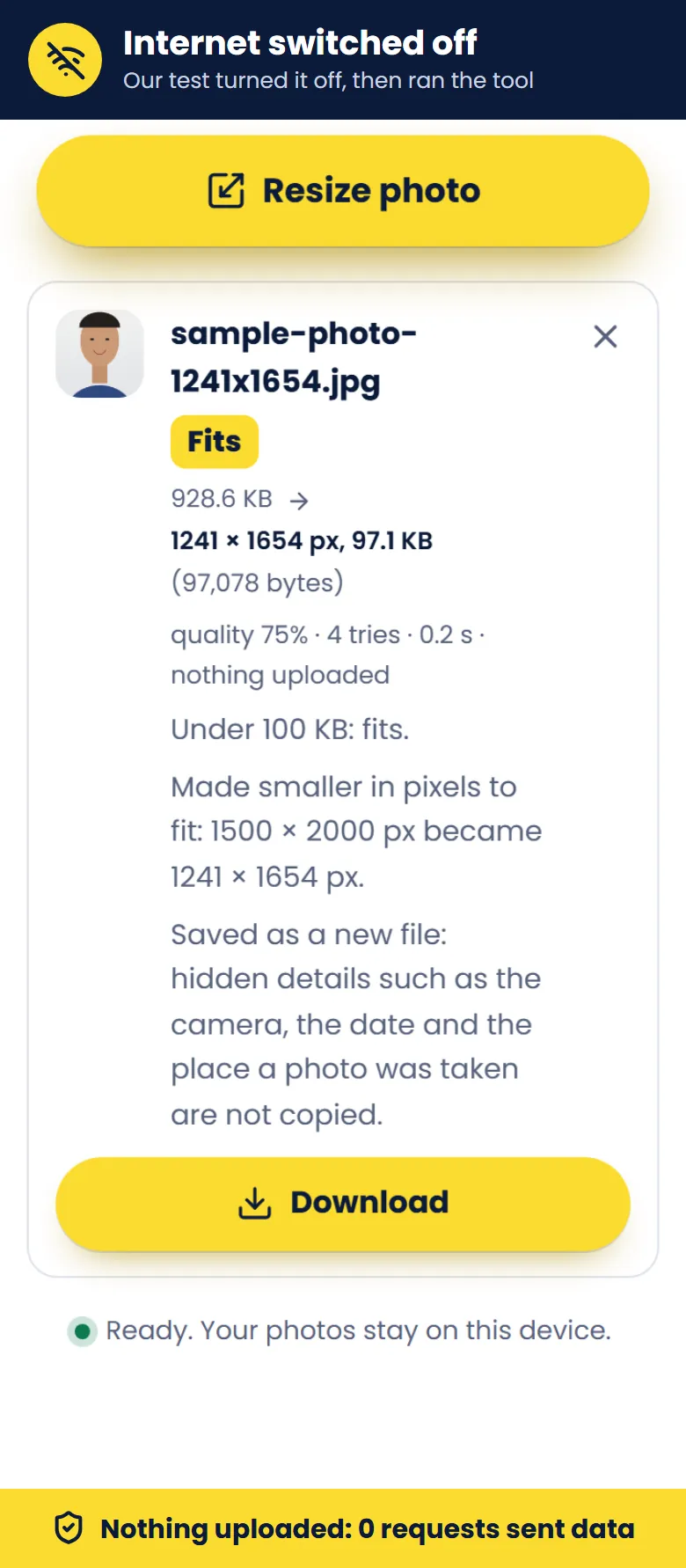
Uploading a 2.37 MB phone photo uses about 25 times the data of the 95.3 KB version made here, and on a weak signal that is the difference between an upload that finishes and one that times out on the form's last evening. The resizing itself uses no data at all once the page has loaded, because your picture is never sent anywhere while it works: you can even switch the internet off, resize, and switch it back on to upload.
Signatures for a whole class
A school or a coaching centre filling forms for many students can collect each signature as a phone photo, add them all here at once, and press Resize photo a single time: each comes out under 100 KB, named after its original with the new pixels added, and Download all (ZIP) saves them together. Name the originals by roll number before you start, so each result is easy to match to its student.
Three checks on the form's preview
- It is the right picture in the right box: a signature in the signature slot, not the photo.
- It reads at the preview's size: forms often show a small preview; if your signature or the page is hard to read there, crop closer and resize again.
- It is the right way up: the resizer turns phone photos upright, but a page photographed upside down stays upside down.
How 100 KB is counted
Some forms count 1,000 bytes to the KB and some 1,024, so the resizer aims for at most 100,000 bytes, which passes either way. Our results ran from 90,213 to 98,626 bytes. A bottom such as 10 KB is counted as 10,240 bytes, the larger reading, for the same reason.
Private: your signature stays with you
A signature is one of the last things you should hand to an unknown website. Here you don't: the resizing runs in your own browser, and the picture is never uploaded to us; the page even works offline once loaded. The new JPG leaves out the camera, date and GPS details a phone stores in its photos. Google's ad code runs on the page too, but our code never gives it your pictures. How we prove it shows the checks anyone can do.
Problems and fixes
- The form says the signature is too small
- It has a minimum. Type it in the From box, such as 10 or 20, and resize again.
- The paper looks grey in the result
- It was grey in the photo. Take it again in daylight; the resizer keeps the colours it is given.
- The three UPSC signatures are cut off
- Crop around all three before resizing, with a margin above and below.
- The form wants exact pixels
- Use the exam's own page, or type them under Width and height.
Limits
- It doesn't straighten a page photographed at an angle or whiten grey paper.
- One picture is one file: for several pages in one upload, make a PDF.
- It sizes what you give it; it can't tell whether a signature is yours or legible.
Terms explained
- KB and kB
- Both mean kilobytes, about a thousand bytes; forms write either.
- JPG quality
- A number from 1 to 100 for how much detail a JPG keeps; 72 to 90 looks clean.
- Range
- A smallest and a largest size together, such as 10 to 100 KB.
- Declaration
- A short statement a candidate writes and signs, uploaded as a picture.
- Megapixel
- A million pixels: 1673 × 2231 is about 3.7 megapixels.