What this page does, and when you need it
This page resizes the two pictures the JEE (Main) 2027 application form asks you to upload: your scanned photo, to a JPG of 10 to 200 kB, and your signature, to a JPG of 10 to 100 kB, the sizes in NTA's Information Bulletin for 2027. It opens with the JEE photo setting already chosen; for the signature, pick JEE (Main) 2027: Signature in the Exam or form list. Your pictures are resized in your own browser and never uploaded to us, and there is no sign-up.
You need it when:
- Your phone's photo is far too big, often 2 to 10 MB, and the form stops at 200 kB.
- A cropped signature is too small, under the 10 kB minimum, and the form refuses it.
- The picture is a PNG or a phone format and the form wants JPG.
The Class 10 certificate is a PDF, not a picture: JPG to PDF makes one from a photo of it, and Compress PDF to 300 KB brings it under the 300 kB limit. For other exams and sizes, Reduce Image Size in KB has the full list, and JEE Main 2027 uploads lists every file the form asks for, with its size. For other forms with the same top limits, Resize Image to 100 KB and Resize Image to 200 KB have them set.
What NTA's 2027 bulletin asks for
We read these on page 8 of the Information Bulletin for JEE (Main) 2027, published by the National Testing Agency on 24 October 2026. Rules checked on 31 October 2026. NTA can change them by a public notice, so look at jeemain.nta.nic.in before you upload.
| Upload | Format and size | What else the bulletin says |
|---|---|---|
| Photograph | JPG/JPEG, 10 kB to 200 kB | A recent passport-size photo, in colour, with 80% face, ears showing, without a mask, against a white background |
| Signature | JPG/JPEG, 10 kB to 100 kB | Clearly legible |
| Class 10 certificate or marks sheet | PDF, 50 kB to 300 kB | Clearly legible |
| Disability or UDID certificate, if it applies | PDF, 50 kB to 300 kB | UDID details are checked on the UDID portal |
| Certificate of physical limitation to write, if it applies | PDF, 50 kB to 300 kB | Clearly legible |
| Non-Indian passport, for foreign nationals and OCI | PDF, 50 kB to 300 kB | Clearly legible |
The bulletin gives no size in pixels or centimetres for the photo or the signature, only the file type, the kB range and how the photo should look. So this page keeps your picture's shape and makes it smaller in pixels only when it must, to fit 200 kB or 100 kB.
The dates for JEE (Main) 2027
From the bulletin's dates at a glance. Times are Indian Standard Time.
| What | Session 1 (January 2027) | Session 2 (April 2027) |
|---|---|---|
| Online application | 24 October to 22 November 2026, up to 11:50 pm | 5 January to 3 February 2027, up to 11:50 pm |
| Last day to pay the fee | 22 November 2026 | 3 February 2027 |
| With a late fee of Rs. 500 more | 23 to 26 November 2026 | 4 to 7 February 2027 |
| Correction window | 27 to 29 November 2026 | 8 to 10 February 2027 |
| City intimation slip | 30 December 2026 | 12 March 2027 |
| Admit cards | 13 January 2027 | 25 March 2027 |
| Exam days | 20, 21, 22, 23, 24 and 28 January 2027 | 2, 3, 4, 5, 6 and 7 April 2027 |
Resize the pictures before you start the form, not on the last evening, when the portal is at its busiest and a refused upload costs the most.
Two photos: the live one and the scanned one
The 2027 form asks for two photos, and they are easy to mix up:
- The live photograph is taken while you fill in the form, with your computer's webcam, or, if it has none, with your phone after scanning a QR code the portal shows. NTA asks for a white background, proper lighting and 80% face visibility, ears included, without a mask. This happens on NTA's portal; no website can take it for you.
- The scanned photograph is a recent passport-size photo you upload as a JPG of 10 to 200 kB. This is the one this page prepares.
Both should show you as you look now, in the same way: the same white background and a clear, uncovered face. A scanned photo taken years ago, or a selfie in a dark room, is the kind of mismatch to avoid.

Real results from our tests
On 31 October 2026 we put 7 test pictures through the JEE (Main) 2027 settings of this resizer, in Chromium on a Windows 11 laptop, at a computer's width and at a phone's, and checked every saved file with a separate Python program.

| Picture | Before | After | What happened |
|---|---|---|---|
| A 12-megapixel phone photo | 2.37 MB, 3000 × 4000 px | 180.2 KB, 2066 × 2755 px | Fits 10 to 200 kB, in 1.4 seconds |
| A 48-megapixel phone photo | 9.93 MB, 8000 × 6000 px | 189.7 KB, 1884 × 1413 px | Fits, in 2.2 seconds on the computer and 1.6 on the phone |
| A photo sent on WhatsApp | 46.1 KB, 1200 × 1600 px | 40.6 KB, same pixels | Already in range; saved as a clean new JPG |
| A scanned passport photo | 150.5 KB, 600 × 800 px | 117.8 KB, same pixels | Already in range; saved as a clean new JPG |
| A very small photo | 3.13 KB, 150 × 200 px | 11.9 KB, same pixels | Raised over the 10 kB minimum |
| A phone photo of a signature | 282.8 KB, 2000 × 900 px | 90.2 KB, same pixels | Fits 10 to 100 kB, in 0.2 seconds |
| A scanned signature, PNG | 21.9 KB, 1400 × 560 px | 29.3 KB, a JPG | Turned into the JPG the form wants |
What the numbers mean: all 14 results, 7 files on a computer and on a phone, were JPGs inside NTA's limits, with no hidden camera, date or place details left in them. A big phone photo is made smaller in pixels as well as in quality, because 12 or 48 megapixels can't fit 200 kB otherwise; 2066 × 2755 pixels is still far more than a photo on a form needs. The computer and the phone made the same files.
On a first visit the page downloads about 0.1 MB for the tool: the page, its styles, its scripts and the fonts, with Google's ad code not counted.
Step by step
- Choose your photo. The Exam or form list already says JEE (Main) 2027: Photo, 10 to 200 KB.
- Crop it if your face is small in the picture. Press Crop on the photo's row and draw the box from just above your hair to just below your chin; see What 80% face means.
- Press Resize photo. The result line should say Fits, with the size in KB.
- Download it, and name it so you find it again, such as jee-photo.jpg.
- Now the signature: remove the photo with the × on its row, choose the signature's picture, pick JEE (Main) 2027: Signature in the Exam or form list that appears, and press Resize photo again.
- Upload both on the JEE (Main) portal, and look at the preview it shows before you go on.
Taking a photo that passes
Most refused photos are refused for how they look, not their size. For the scanned photo:
- A white background: stand in front of a plain white wall or a white sheet, not a coloured or patterned one.
- Light on your face: face a window in daylight, so there are no dark shadows on one side; don't stand with the window behind you.
- Straight to the camera, with both ears showing, without a mask, eyes open and the face not tilted.
- Recent and in colour, as the bulletin asks: not an old school photo, and not black and white.
- Someone else holds the phone, at your eye level, about an arm's length or more away, rather than a selfie, which stretches the face.
The 2027 bulletin doesn't mention glasses or caps; taking the photo without them keeps your face fully visible, which is what the 80% rule is about.
What "80% face" means, and cropping to it
NTA asks for a photo in which the face takes up about 80% of the picture, including the ears. In practice that is a head-and-shoulders photo cropped close: the top of the head near the top edge, the chin well above the bottom, and very little background on either side. A full-length or waist-up photo is the most common way to get this wrong.
The Crop button on each photo's row opens a window where you drag a box around your face: from a little above your hair to a little below your chin, with your ears inside. The resizer then works on the cropped part only. It doesn't measure your face for you, so judge it by eye against a passport photo.
The signature
NTA asks for a clearly legible signature as a JPG of 10 to 100 kB. Good signature pictures start on paper:
- Sign on plain white paper with a dark pen, black or blue, in your usual signature; not in capital letters if you don't sign that way.
- Photograph it from straight above in daylight, with your phone's shadow off the paper, or scan it.
- Crop close, leaving a little white space around the signature, so it fills the picture.
In our tests a phone photo of a signature came down from 282.8 KB to 90.2 KB, and a small scanned PNG became a 29.3 KB JPG. If a signature comes out below 10 kB, the resizer raises it over the minimum without changing what it shows.
The Class 10 certificate: a PDF of 50 to 300 kB
You also upload your Class 10 (or equivalent) certificate or marks sheet as a PDF of 50 to 300 kB. Two free pages here do it without uploading the certificate anywhere:
- Make the PDF: photograph or scan the certificate, flat and in daylight, and turn the picture into a PDF with JPG to PDF.
- Bring it under 300 kB: if the PDF is bigger, Compress PDF to 300 KB makes it smaller and says how clear the pages still are.
- Check it is over 50 kB: a very small PDF is refused too. If yours is under 50 kB, scan or photograph the certificate again at a higher quality.
Open the final PDF and zoom in on your name, roll number and marks: the bulletin asks for every document to be clearly legible.
Disability, UDID and other certificates
Candidates who claim a disability upload the disability or UDID certificate as a PDF of 50 to 300 kB, and NTA checks UDID details on the UDID portal of the Department of Empowerment of Persons with Disabilities. A certificate of physical limitation to write, and a non-Indian passport for foreign nationals and OCI holders, follow the same 50 to 300 kB PDF rule. The same two pages, JPG to PDF and Compress PDF to 300 KB, prepare each of them.
How kB is counted
A kB can mean 1,000 bytes or 1,024 bytes, and websites differ. The resizer plays safe both ways: it counts the top of a range as 1,000 bytes to the kB and the bottom as 1,024. So "under 200 kB" means at most 200,000 bytes and "over 10 kB" at least 10,240 bytes, and the file fits whichever way the portal counts. Our 12-megapixel photo came out at 180,243 bytes, well inside both.
Why uploads are refused, and the fix
| The problem | The fix |
|---|---|
| The file is over 200 kB (photo) or 100 kB (signature) | Resize it here; phone photos are usually 2 to 10 MB |
| The file is under 10 kB | Resize it here: it is raised over the minimum |
| The file is a PNG, HEIC or PDF | The results here are always JPG |
| The photo is dark, or the background isn't white | Take it again, facing a window, against a white wall |
| The face is small in the photo | Crop close to the head and shoulders |
| The signature is faint or blurred | Sign again with a darker pen, photograph it in daylight |
| The certificate PDF is over 300 kB or under 50 kB | Compress it, or scan it again more clearly |
Upload only your own photo, signature and certificates. The bulletin treats using someone else's, or tampering with an admit card or a result, as unfair means.
The correction window
For Session 1, NTA opens a correction window from 27 to 29 November 2026, up to 11:50 pm, to fix details in a submitted form. The bulletin says no correction is allowed after it closes, so a wrong photo or a blurred signature found later may have no remedy. Check the previews of both pictures before you submit, and download the confirmation page to see them once more.
Keep prints of the same photo for the exam day
The bulletin lists what candidates must carry on the exam day: a printed admit card with its self-declaration filled in, an original photo ID such as an Aadhaar card, and 2 additional passport-size photographs, the same as the one uploaded on the online form, to be pasted on the admit card and the attendance sheet. So print the very photo you resized here and keep the prints with your admit card. A different photo on the day is one more thing to explain at the gate.
Private: your photo stays on your device
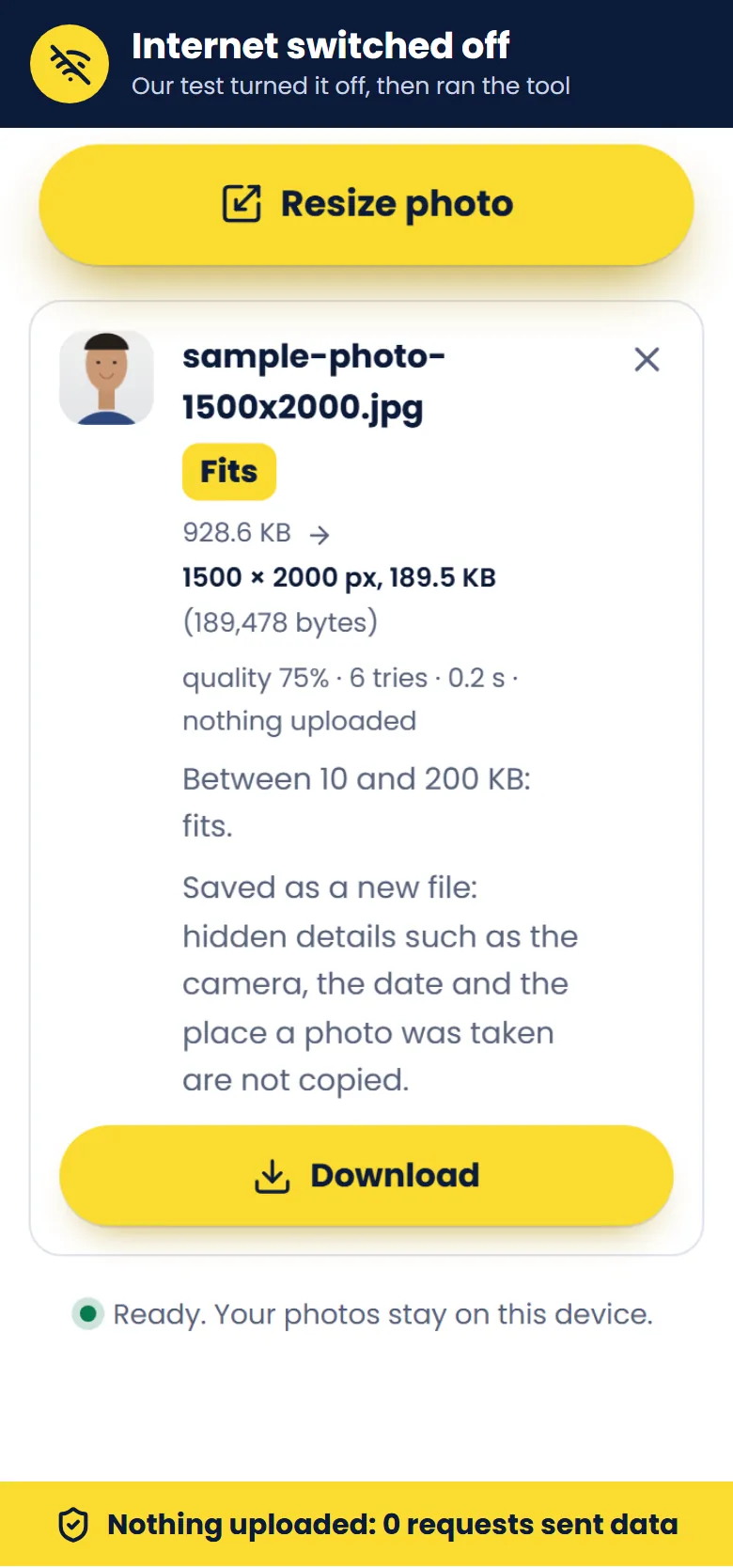
Your photo, signature and certificate are resized inside your browser; they are never uploaded to us, and once loaded the page works with the internet switched off. Each result is a new file, so the camera model, the date and the GPS place a phone stores in a photo are not copied into it. Google's ad code runs on the page too, but our code never gives it your pictures. How we prove it shows how anyone can check.
Problems and fixes
- The list doesn't say JEE (Main) 2027
- You changed a setting by hand, which clears the preset. Choose JEE (Main) 2027: Photo or Signature in the Exam or form list again.
- The photo row says it couldn't be opened
- Some browsers can't open iPhone HEIC photos. Take a screenshot of the photo, or set the iPhone's camera to Most Compatible, and use that JPG.
- The portal shows the photo sideways
- Download the result from here again: the resizer turns phone photos the right way up before saving.
- The signature looks grey
- The paper was in shadow. Photograph it again in daylight; the resizer keeps what it is given.
Limits
- It doesn't take the live photograph: that happens on NTA's portal.
- It doesn't change backgrounds or faces, and doesn't measure how much of the photo your face fills.
- Its JEE settings follow the 2027 bulletin as read on 31 October 2026; a later NTA notice comes first.
- It isn't NTA's site, and nothing here submits your form.
Terms explained
- NTA
- The National Testing Agency, which conducts JEE (Main).
- Information Bulletin
- NTA's official document with the rules, dates and fees for the exam.
- kB
- A kilobyte: about a thousand bytes of a file's size.
- JPG or JPEG
- The usual file type for photos, the one the form asks for.
- Live photograph
- A photo taken by the portal with your webcam or phone while you fill in the form.
- UDID
- The Unique Disability ID card, checked by NTA on its government portal.
- Unfair means
- What the bulletin calls cheating, such as uploading someone else's photo.