The quick answer
To remove GST from a total that already includes it, divide the total by 1 plus the GST rate written as a decimal. At 18% that is 1.18. Take a total of ₹5,900: 5,900 ÷ 1.18 = ₹5,000, so the price before GST is ₹5,000 and the GST inside the total is 5,900 − 5,000 = ₹900.
In the form that the GST Calculator's guide uses, the price before GST is the total × 100 ÷ (100 + rate), and the GST is the total minus that. It is the same sum written two ways: at 18%, × 100 ÷ 118 and ÷ 1.18 give the same answer.
In GST Calculator, type the total and the rate, then choose “With GST (take GST out)”. It shows the price before GST, the GST, the CGST and SGST halves and the IGST. It runs in your browser and has no upload step, so the amounts you type are never sent anywhere. The Percentage Calculator does the same division for any percentage if you choose “Undo a percentage”.
The rest of this post explains why subtracting does not work, shows the sum at every rate in the calculator's guide, and uses it for a shop bill, an online order and a freelancer's quote. It is arithmetic, not tax advice: the rate that applies to an item is on your bill or in the official lists.
Why taking 18% off the total is wrong
GST is charged on the price before tax. So the GST inside a total is 18% of the smaller number, the price before GST, and not 18% of the total. If you take 18% of the total, you take off too much, because the total is already bigger than the price the tax was worked out on.
Here is a total of ₹10,000 at three rates, done both ways:
| Rate | Rate taken off | Divided by 1 + rate | Short by |
|---|---|---|---|
| 5% | ₹9,500.00 | ₹9,523.81 | ₹23.81 |
| 18% | ₹8,200.00 | ₹8,474.58 | ₹274.58 |
| 40% | ₹6,000.00 | ₹7,142.86 | ₹1,142.86 |
The test is to add the GST back. Add 18% to the shortcut's ₹8,200 and you get ₹9,676, not the ₹10,000 you began with. Add 18% to the right answer, ₹8,474.58, and the GST of ₹1,525.42 brings you to exactly ₹10,000.00. The higher the rate, the bigger the slip: ₹23.81 at 5%, but ₹1,142.86 at 40%.
The shortcut is a common mistake with GST, and the guide's list of common mistakes puts it first.
The sum at each rate
Here is a total of ₹1,000 that includes GST, taken apart at each of the rates in the guide. The last two are the old slabs, for bills from before 22 September 2025:
| GST rate | Divide by | Before GST | GST inside | CGST, SGST each |
|---|---|---|---|---|
| 5% | 1.05 | ₹952.38 | ₹47.62 | ₹23.81 |
| 18% | 1.18 | ₹847.46 | ₹152.54 | ₹76.27 |
| 40% | 1.40 | ₹714.29 | ₹285.71 | ₹142.86 |
| 12% (old) | 1.12 | ₹892.86 | ₹107.14 | ₹53.57 |
| 28% (old) | 1.28 | ₹781.25 | ₹218.75 | ₹109.38 |
The rates themselves are not for this post to decide. As the guide's section on the rates says, since 22 September 2025 the main rates are 5% and 18%, with a special rate of 40% on a few goods, in place of the old 5%, 12%, 18% and 28%. Some goods and services are exempt or have rates of their own. The rate for an item depends on its classification, so take it from the bill, the seller or the official lists. The calculator accepts any rate from 0% to 100%, so it also works on old bills.
In the 40% and 28% rows the two halves each round up, so together they show a paisa more than the GST: ₹285.72 against ₹285.71, and ₹218.76 against ₹218.75. This is rounding and not an error. The next sections come back to it.
The CGST and SGST halves, or IGST
On a sale within one state, GST is split into two equal halves: CGST for the central government and SGST for the state. At 18% that is 9% each. On a sale from one state to another, the whole tax is charged as IGST, at the full rate. The amount you pay is the same either way. In union territories without their own legislature, UTGST takes the place of SGST.
Take the ₹5,900 from the start, at 18%. The price before GST is ₹5,000 and the GST is ₹900. On a bill for a sale within a state, that is CGST ₹450 and SGST ₹450. On a bill for a sale between states, it is IGST ₹900. The calculator shows both together under the answer, so you can match the one on your bill. The guide's section on CGST, SGST and IGST has the detail.
Do not take the halves as separate rates added to the price. 9% plus 9% is the whole 18%, not 18% each.
Paise, round-off and the last digit
The calculator works every sum out exactly and rounds each amount to the paisa, half a paisa up, only when it writes it. That is why the parts can miss the whole by a paisa. Take ₹40,000 at 18%, with GST inside:
- The price before GST is ₹33,898.31 and the GST is ₹6,101.69. These add up to ₹40,000.00.
- CGST and SGST are ₹3,050.85 each. Each is really about ₹3,050.8475, rounded up on its own. Together they show ₹6,101.70, a paisa more than the GST.
The page puts a note under the answer when this happens, and it says the same thing. On a real invoice, the seller's software may round in its own way, for example by rounding each line or the total to whole rupees. Bills also often round the final amount to the nearest rupee and show the difference as a round-off line. If your hand sum and the invoice differ by a rupee or less, this is the usual cause. The guide's section on reading a bill says more.
Three everyday uses
A shop bill with two rates
The calculator takes one rate at a time. A bill with items at different rates needs one sum for each rate. Say a bill (invented) totals ₹8,000, made of ₹2,100 of items with 5% GST inside and ₹5,900 of items with 18% GST inside. Taken one rate at a time:
- ₹2,100 at 5% is ₹2,000 before GST, with ₹100 of GST.
- ₹5,900 at 18% is ₹5,000 before GST, with ₹900 of GST.
The whole bill holds ₹7,000 before GST and ₹1,000 of GST. Had you taken 18% out of the whole ₹8,000, you would have found ₹1,220.34 of GST, which is wrong for this bill.
An online order
An invoice for an online order usually lists the taxable value, which is the price before GST, the rate, and the tax. To check one, type the total with “With GST” and the rate on the invoice. For an item with a total of ₹1,499 at 18%, the answer is ₹1,270.34 before GST and ₹228.66 of GST, with ₹114.33 each of CGST and SGST. A quick check: 1,499 × 18 ÷ 118 is ₹228.66.
A freelancer's GST-inclusive quote
A client says “₹40,000, all inclusive” and the freelancer agrees. At 18%, the freelancer's own price is ₹33,898.31 and the other ₹6,101.69 is GST. If the freelancer had quoted ₹40,000 plus 18% GST, the client would have paid ₹47,200, with ₹7,200 of GST. For a client in the same state that is CGST ₹3,600 and SGST ₹3,600; for a client in another state it is IGST ₹7,200.
So “inclusive” and “plus GST” are different deals, and the safe habit is to write the quote so that it cannot be read two ways: “₹40,000 + 18% GST” or “₹47,200 including 18% GST”, never just “₹40,000”. Registration, returns and input tax credit are outside what the calculator does; ask a tax professional about them.
MRP, price tags and discounts
Prices on shop labels, menus and MRPs in India include all taxes, so you pay what is printed. To see the GST inside such a price, use the same sum. A label of ₹499 at 5% holds ₹475.24 before GST and ₹23.76 of GST, with ₹11.88 each of CGST and SGST. This matters when you compare a price quoted “+ GST” with one that says “including GST”, and when a business needs the price before tax.
Discounts add a second step. A discount given at the time of sale and shown on the invoice comes off the price first, and GST is worked out on what is left. A percentage off comes to the same total whether it is taken before or after GST, but a flat amount off does not. The guide's section on discounts and GST works through both, and the Discount Calculator finds the price after a percentage off, with the saving.
A whole price list in a spreadsheet
If you have a list of prices that include GST, say forty items from a supplier, you do not need the calculator for each one. In a spreadsheet, with the totals in column B, the price before GST at 18% is =B2/1.18 and the GST is =B2-B2/1.18. For another rate, change 1.18: it is 1.05 at 5% and 1.40 at 40%. Wrap the formulas in ROUND(…, 2) if you want whole paise.
Do one thing before you trust the column: type one of the totals into the GST Calculator and compare the three numbers. If they agree, the formula is right. A list with more than one rate needs a rate for each row, so keep the rate in its own column and divide by 1 plus that cell divided by 100.
Checking your answer, and the usual slips
Two quick checks catch most mistakes. First, add the GST back: the price before GST plus its GST must equal the total you started with. Second, look at the share. At 18%, the GST is 18 ÷ 118 of a total that includes it, about 15.25%, a little over 15 rupees in every hundred; at 5%, it is 5 ÷ 105, about 4.76%. The guide's quick-checks table lists the shares for every rate.
- Taking the rate off the total. Divide by 1 plus the rate instead.
- Using an old rate. Most 12% and 28% items moved to 5% or 18% on 22 September 2025, so check the date of the bill.
- Treating the halves as extra rates. CGST 9% and SGST 9% are the 18%, not 18% each.
- One rate for a mixed bill. Do one sum for each rate.
- Reading a round-off line as an error. A rupee's difference is usually just that.
Try it: type the total, the rate, and choose “With GST (take GST out)” to see the price before GST and the halves.
Open the GST Calculator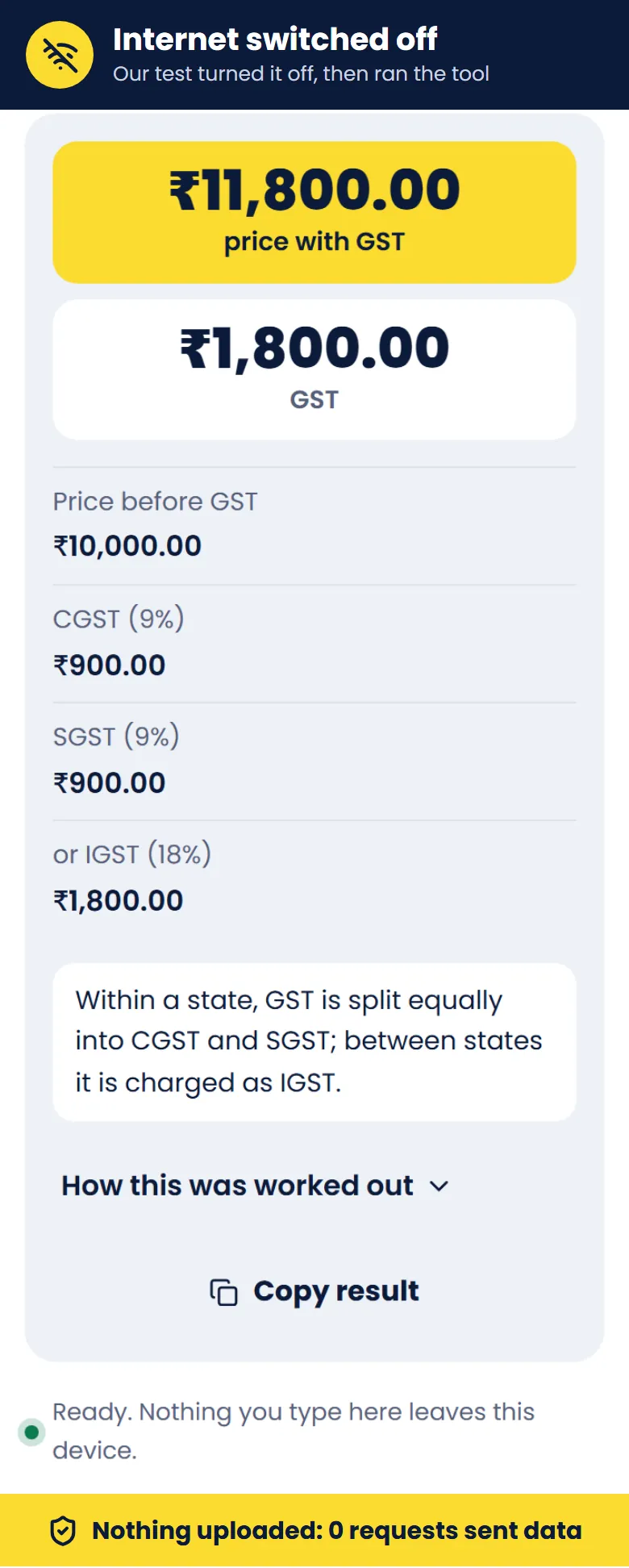
GST Calculator, free and private: add GST to a price or take it out of one, with the CGST and SGST split.
Open GST Calculator