What the Roman Numeral Converter does, and when you need it
The Roman Numeral Converter turns numbers into Roman numerals and Roman numerals into numbers, line by line. Type 2026 and get MMXXVI; type MCMXCIV and get 1994. With Either way chosen, as it is at first, each line is converted in the direction it needs, so a list can mix both. It covers 1 to 3,999, the numbers the usual numerals can write, and the result appears in the second box as you type, ready to copy or download.
It runs in your browser: what you type is never uploaded and never saved, so closing the page forgets it.
Some jobs it is made for:
- Reading a year on a building, a film's credits or a book's first page.
- Writing a year or a number for an invitation, a plaque, a tattoo or a design.
- Homework: checking answers to questions on Roman numerals.
- Chapters, volumes and clauses numbered I, II, III in a document.
- A whole list at once, one number or numeral a line.
Step by step: converting
It takes a few seconds, and the same steps work on a phone and on a computer:
- Type or paste numbers or Roman numerals in the top box, one on each line. You can also choose Open a text file, or drop a text file anywhere on the page.
- Choose the way under Do: Either way, line by line (each line goes the way it needs), Numbers to Roman numerals, or Roman numerals to numbers.
- Read the result, one line for each line you typed. A line that can't be converted shows
?, and the note says why. - Copy or download the result.
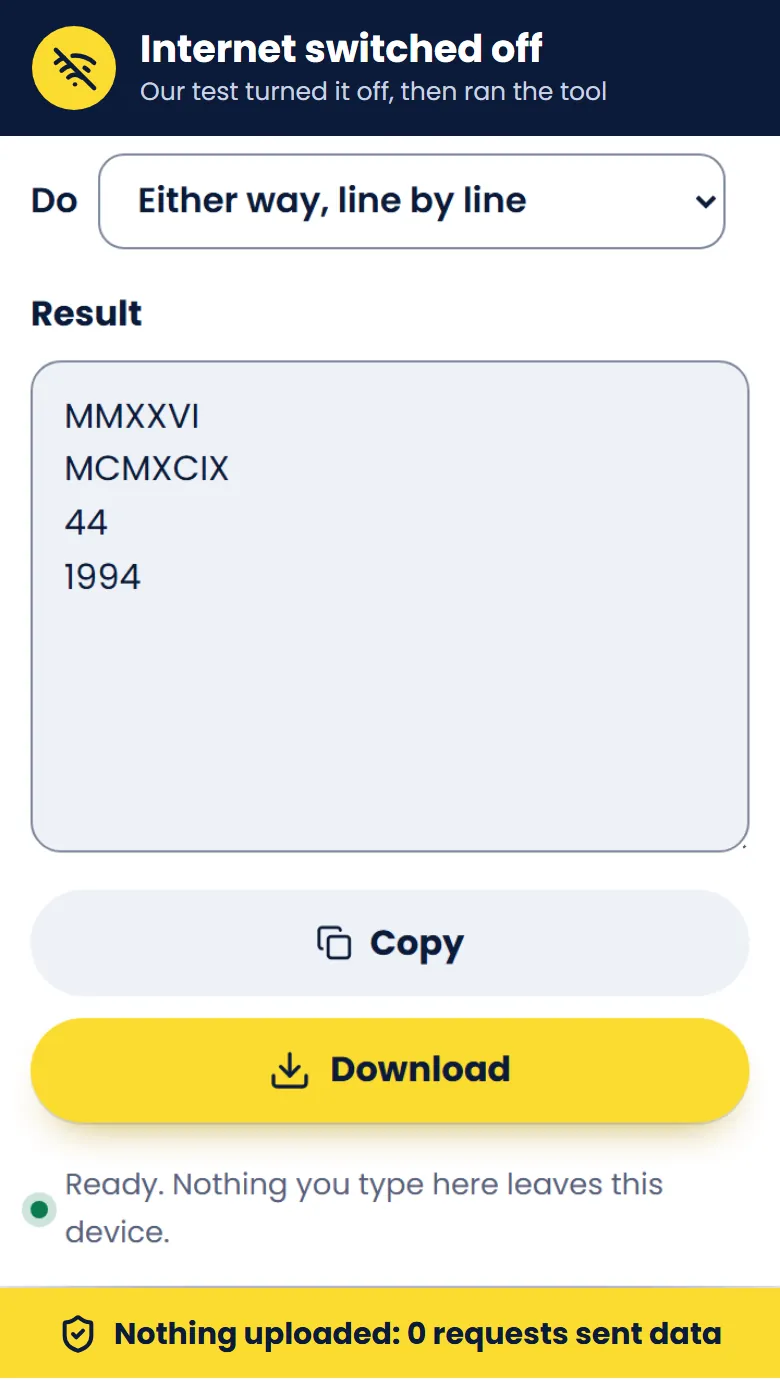
Press Try a sample: the box fills with 2026, 1999, XLIV and MCMXCIV, and the result is MMXXVI, MCMXCIX, 44 and 1994: the numbers become numerals and the numerals become numbers.
How it converts, exactly
The rules are written here in full, and the same rules are checked by our tests.
| Part | The rule | Example |
|---|---|---|
| Range | 1 to 3,999 (I to MMMCMXCIX). 0, 4,000 and more, negative numbers and fractions show ? | 3999 is MMMCMXCIX |
| Numbers in | Digits, with or without commas, and spaces around them | 1,999 is MCMXCIX; 03 is III |
| Numerals in | Capital or small letters, written the standard way | xiv is 14 |
| The standard way | Each numeral has one right spelling, the one the converter itself writes. Other spellings show ? | IIII, VX and IC show ? |
| Either way | A line of digits becomes a numeral; any other line is read as a numeral | 2026 and XLIV in one list |
| Numerals out | In capital letters | 14 is XIV |
| Lines | One result a line; an empty line stays empty. The note counts the lines that couldn't be read | "2 lines couldn't be read" |
Our tests turn every number from 1 to 3,999 into a numeral and back, and get the same number each time.
Real results from our tests
We tested Roman Numeral Converter with headless Chromium 148, the open-source browser Chrome is built on, on a Windows laptop with an Intel Core i7-1185G7 and 32 GB of memory, on 1 November 2026. Other work was running on the laptop at the same time, so times vary from run to run: each time below is the middle one of 3 runs.
Converting is quick. It took 50 milliseconds or less to convert 500,000 characters of numbers and numerals, one a line, either way, the most the page takes at once.
After a text is put in the box, the page waits 0.15 second before it works, so a burst of typing is worked on once, and 0.4 second when the text has more than 400,000 characters. So the result of 500,000 characters of English showed between 1.12 and 1.16 second after it was put in the box in our test. A result of more than 100,000 characters shows only its first 100,000 in the box, and says so, because showing a very long text is slow for the browser; Copy and Download take all of it.
Checked by our tests. Every example on this page is one of our tests, run on the page's own code. They cover every number from 1 to 3,999 turned into a numeral and back, the six subtractive pairs, small letters, commas in numbers, spellings that are not the standard way, numbers out of range, and lists that mix both ways.
Size and offline. On a first visit the page downloads about 0.1 MB for the tool: the page, its styles, its scripts and the fonts, with Google's ad code not counted. In our test we switched the network off after the page had loaded and pressed Try a sample: the result showed 0.1 seconds later or less in each of 15 runs.
Phone-sized screen. We also ran the tests on a phone-sized screen in headless Chromium (390 × 844 pixels, with touch). That is not a real phone. Every button, box and tick box was 44 pixels high or more, and the page did not scroll sideways. These tests don't cover Safari or Firefox.
Try it yourself: press "Try a sample" at the top of this page. It puts 2026, 1999, XLIV and MCMXCIV in the box, and the result is MMXXVI, MCMXCIX, 44 and 1994. Then add a line with IIII: it shows ?, and the note says why.
Try the sampleHow Roman numerals work
Roman numerals use seven letters: I is 1, V is 5, X is 10, L is 50, C is 100, D is 500 and M is 1,000. A number is written from the biggest values down and the letters are added: MMXXVI is 1,000 + 1,000 + 10 + 10 + 5 + 1 = 2026.
Four, nine and their tens and hundreds are written by putting a smaller letter before a bigger one, which takes it away: IV is 4, IX is 9, XL is 40, XC is 90, CD is 400 and CM is 900. So 1994 is M (1,000) + CM (900) + XC (90) + IV (4): MCMXCIV. Only these six pairs are used, and no letter is written more than three times in a row, which is why III is 3 and IV, not IIII, is 4.
| Number | Numeral | Number | Numeral |
|---|---|---|---|
| 1 | I | 40 | XL |
| 4 | IV | 90 | XC |
| 9 | IX | 400 | CD |
| 14 | XIV | 1999 | MCMXCIX |
Because of these rules, 3,999, MMMCMXCIX, is the biggest number the usual letters can write: 4,000 would need four Ms. Larger numbers were once written with a bar over the letters, meaning a thousand times, which this tool doesn't write.

Where you see them, and IIII on clocks
Roman numerals still turn up in many places: the year a film or a building was finished (MCMLXXXVIII is 1988), the hours on a clock face, the names of kings and queens and of sports events, the chapters and volumes of books, the clauses of documents, and the pages before the first chapter of a book, which are often numbered in small letters, i, ii, iii.
Many clock faces show four as IIII instead of IV. It is a tradition of clockmakers, not the standard way, so the converter shows ? for it, as for VX or IC. Old buildings and inscriptions sometimes use other spellings too. If a numeral shows ?, check its letters against the rules above.
Reading a numeral by hand
To read a long numeral without the tool, split it into thousands, hundreds, tens and ones, from the left. MCMXLVII splits into M, CM, XL and VII: 1,000 + 900 + 40 + 7 = 1947, the year India became independent. MCML is 1,000 + 900 + 50 = 1950, the year of the Republic, and MDCCCLVII is 1,000 + 800 + 50 + 7 = 1857.
Each part is one of a few shapes: a letter on its own (V, L, D), the letter repeated up to three times (III, XXX, CCC), or one of the six subtractive pairs (IV, IX, XL, XC, CD, CM). If a part doesn't fit any shape, the numeral isn't written the standard way, and the tool shows ?. Writing works the same way the other way round: 2024 is 2,000 (MM) + 20 (XX) + 4 (IV), MMXXIV.
Everyday uses
- Read a date: type the numeral from a building or a film, and get the year.
- Write a year: type a wedding or a founding year and get the numeral for an invitation or a sign.
- Check homework: type each answer on its own line and compare.
- Number the parts of a document I, II, III, then join them to their titles. To number lines 1, 2, 3 instead, use Add Line Numbers.
- Write amounts in words rather than numerals with Number to Words.
Opening a text file
Choose Open a text file, or drop a file anywhere on the page, and the tool reads it on your device. These files open: .txt, .md, .csv, .tsv, .log, .json, .xml, .srt, .vtt, .html and other plain-text files, with up to 500,000 characters. The file's name and size appear below the box with an x; press the x to remove the file's text. The file is read on your device and never uploaded. The result can be copied, or saved as a new text file; the file you opened is never changed.
- Letters. A file saved as UTF-8 (a byte order mark at the start is dropped) or as UTF-16 with a mark is read correctly, Hindi and Tamil included. A file that is not valid UTF-8 is read as Windows-1252, and the page says so: "This file isn't saved as UTF-8, so it was read as Windows-1252. If letters look wrong, save it as UTF-8 and add it again."
- Windows line breaks. A Windows file stores each line break as two characters. The tool reads the pair as one line break, so each line of a Windows file is converted on its own.
- Several files. Only the first one opens, and the page says so, for example "Opening a.txt only. Open the others one at a time."
- Not a text file. A Word, PDF or picture file renamed to .txt is not read, and the page says it doesn't look like a text file. A file named .docx, .pdf or .rtf gets this message: "Only text files (.txt and similar) can be opened here. For a Word or PDF file, copy its text and paste it into the box."
- Empty or too long. An empty file says it is empty. A file with more than 500,000 characters is not opened, and the page says how many characters it has.
For a Word or PDF file, open it in the program you normally use, select the text, copy it, and paste it into the box. A PDF whose pages are scans holds pictures, not text, so there is nothing to copy.
Private: your text stays on your device
Your text never leaves your device. The tool runs inside your browser and has no upload step: it never sends the text you type, paste or open anywhere, and it keeps no copy of it, so closing the page forgets it. The page's Content Security Policy lets it contact only this site and Google's ad service, which pays for the site; our code never gives your text to the ad code. You can check it yourself in your browser's network panel (F12 on a computer): converting adds no request that carries your text. The site's menu does remember the last few tools you opened, on your device.
Even a list of years or chapter numbers is yours to keep. This tool converts it without handing it over. Our privacy policy says what we collect, and How we prove it shows how you can check our claims yourself.
Once the page has loaded, it also works with the internet switched off. In our test we switched the network off after the page had loaded and pressed Try a sample, and the result showed 0.1 seconds later or less in each of 15 runs.
Long texts
The tool takes up to 500,000 characters at once, about 500 KB of English text. What happens when a text is longer:
- A paste that would go over the limit is not added. This holds for Ctrl+V, for press and hold, and for the Paste button. The page says, for example: "That text is very long (550,000 characters), so it was not added. The box can hold 500,000 characters. Split it into smaller parts for faster results."
- A file with too many characters is not opened. The page says, for example: "long.txt has 550,000 characters, more than the 500,000 counted at once. Split it into smaller parts for faster results."
- A text that gets in some other way stays, unchanged. If text is dragged into the box, for example, it stays there, the result stays empty and the note says: "This text is very long (550,000 characters). Split it into smaller parts for faster results."
Converting is quick. In our tests it took 50 milliseconds or less to convert 500,000 characters of numbers and numerals, one a line, either way. The slow part is the browser showing a very long text in a box, so a result of more than 100,000 characters shows only its first 100,000, without cutting an emoji in half, and the note says so, for example "Showing the first 100,000 of 164,999 characters. Copy and Download take all of it." Copy and Download always take the whole result.
Tips
- One number or numeral a line, so each is converted on its own.
- Small letters are fine to type; the numerals come out in capitals.
- Check a ? against the rules: it means a spelling that isn't the standard one, or a number out of range.
- For a design, check the letters carefully: a single wrong letter changes the year.
- Commas are fine in numbers: 1,999 and 1999 give the same numeral.
- Keep your own copy. The page forgets everything when you close it.
Limits
- 1 to 3,999 only. No zero, negative numbers, fractions or numbers with a bar over them.
- The standard way only. IIII, VX, IC and other old spellings show ?.
- Capitals out. Numerals come out in capital letters; small-letter numerals (i, ii) are read but not written.
- One value a line. A line with words around a numeral isn't read.
- 500,000 characters at once, about 500 KB of English text.
Terms explained
- Roman numeral
- A number written with the letters I, V, X, L, C, D and M.
- Subtractive notation
- Writing a smaller letter before a bigger one to take it away, as in IV for 4.
- Arabic numerals
- The digits 0 to 9 used in most of the world today.
- Vinculum
- A bar over Roman letters, which multiplied them by 1,000. Not used here.
- Standard form
- The one usual spelling of a numeral, as this converter writes it.