First, what we can and can't do
Unlock PDF removes a password when you type it. It never guesses a password and never tries to break a lock. With a modern lock and a strong password, nobody can open the file without the right password, us included. So everything below is about finding the password you were actually given, not about getting around the lock.
The good news is that "wrong password" is very often a small mistake. Here is a table of the usual causes, and then each one in detail.
| What happened | Likely cause | Go to |
|---|---|---|
| Password refused, and you are sure of it | A capital letter, a space or the keyboard language | Typing |
| You were told a "rule", not a password | The sender explained how to build it from your details | A rule, not a password |
| One month works, another doesn't | A different password for that file | Different file |
| The password has Hindi or other letters | How the app that locked it stored letters | Other languages |
| No box for a password appears | Restrictions only, or not locked at all | No password box |
| It says it can't be opened | A lock that uses a certificate, or a damaged file | Can't be opened |
Cause 1: a typing difference
Type the password exactly as you were given it, with the same capital and small letters. These are the usual slips:
- Capital and small letters. A password is case sensitive. Check Caps Lock.
- A space. A space at the start or end can come along when you copy from a message. Spaces inside a password work in every kind of lock, so keep them if they are part of it.
- Letters that look alike. A capital I, a small l and the digit 1, or a capital O and zero, look alike in many fonts.
- A phone keyboard that helps too much, by starting with a capital letter or changing a word.
- The wrong keyboard language, so the same keys type other letters.
Use the eye button in the password box to see what you typed. If you copied the password from an email, try typing it by hand, and try pasting it, to see whether one works. Nothing is counted and nothing is locked out, so you can try as many times as you need. A wrong password is said to be wrong in under 0.1 second for a small file and 0.3 seconds for a 47.8 MB scan on our test computer, so you get an answer straight away.
Cause 2: you were given a rule, not the password itself
Banks, card companies, employers and government sites often don't send the password. They tell you how it is made, from details they already have about you, and you build it yourself. If you typed the sentence of the rule, or built it in a slightly different way, the file stays locked.
- Scroll to the bottom of the email. The password rule tends to hide in the footer, below the greeting and the account summary.
- Search the sender's help pages or app. Many banks, schools and portals describe the password format in their FAQ or next to the download link; search their site for "PDF password".
- Check the order and format of the details, such as whether it uses capital or small letters, how many digits it takes and whether a date is written one way or another.
- Ask the sender. Customer care, your company's HR or payroll team can tell you how the password works, or send the file again without one.
You won't find a list of bank or government password formats on this page, on purpose: every sender has its own, they change without notice, and a format copied from a forum may be years old. Trust only the sender's own email or site.
Cause 3: this file has its own password
Statements from the same sender usually share one password, so Unlock PDF, when you type it once, tries it on every file waiting for a password. But not every file in your folder is a statement from the same sender. A file with a different password keeps its own box, ready for its own password. If one month or one document refuses the password, check whether it came from another sender, another account or another year. The rule may have changed, for example when a customer ID or a date of birth was updated.
Also check that it is the file you think it is. A downloads folder full of similar names makes it easy to pick the wrong one.
Cause 4: a password with letters of another language
Most PDF passwords are English letters and digits, and those always work. A password can also have Hindi, Tamil, Bengali or accented letters. Switch to the same keyboard language and type it character for character. Whether it then opens depends on the lock type:
- AES 256-bit stores passwords as Unicode text, so letters of any language work. The standard asks for the text to be tidied first (special spaces become plain spaces, invisible characters are dropped), and not every app does that step, so Unlock PDF tries the password both ways, tidied up and exactly as typed.
- RC4 and AES 128-bit are older locks that store passwords as one byte per letter, and each app turns letters into bytes its own way. Unlock PDF tries each of the common conversions. Plain English letters, digits and Western European accents come out the same in all of them; Hindi, Tamil or other scripts only work if the locking app stored them as UTF-8, and some old apps couldn't store them at all.
To be clear, those are just alternative encodings of what you typed; the tool never tries passwords of its own. In our tests of files locked by qpdf, passwords with Hindi, German and Japanese letters opened AES 256-bit files, and a Hindi password stored as UTF-8 opened an RC4 128-bit file.
Cause 5: there is no password to type
If the page shows no password box, the file may not need one:
- Restrictions only. A file that opens without a password but won't let you print, copy or change it is unlocked at once, with no password needed. The row says what was blocked. PDF password vs restrictions explains the two kinds.
- Not locked at all. The page says so, because there is nothing to remove. If your app showed an error, the problem was something else, perhaps a damaged download.
To tell which kind of lock you have, open the file in any PDF app. A password prompt before anything shows means an open password. A file that opens fine but refuses to print or copy has only restrictions, which is a different problem.
Cause 6: a lock with no password to type, or a damaged file
- A lock opened by a certificate, or a reader plug-in, instead of a password. Unlock PDF can't open it, because there is no password to type. Ask the sender for a copy in the usual form.
- A damaged or cut-off file. A download that stopped halfway can give a file that looks like a PDF and isn't. Download it again, or ask for it to be sent again.
- Something other than a PDF with a .pdf name. Open it in a PDF reader to see.
Unlock PDF opens locks made the standard PDF way, with a password: RC4 40-bit and 128-bit, AES 128-bit and AES 256-bit. Each of those was checked in our tests, on files locked with two common PDF libraries (qpdf and pypdf) and on a locked PDF exported from LibreOffice.
If nothing works: what not to do
Be careful with "password recovery" sites and apps. To try anything, such a site needs a copy of your file, which means a bank statement or an ID scan sitting on a stranger's server. A message to the sender is safer, and usually gets you the answer faster. These are better steps:
- Ask the sender to send the file again, with a password you know, or without one.
- Download it again from the bank's or the portal's site. Some let you choose a password, or download without one.
- Check your records. A password you set yourself may be in an old message, a notebook or a password manager.
- Don't guess your way in. Many senders' passwords use details like a date of birth. Trying many guesses doesn't help if the rule is different from what you think.
If the file is one you locked yourself with Protect PDF, there is no way back: the password isn't stored in the file, and we never saw it. That is why you keep the original, which Protect PDF leaves untouched.
Once it opens
When the right password goes in, the row says what the file was locked with and what was blocked, and you can download an unlocked copy. Its name ends in -unlocked, so your original stays as it was. Every unlocked copy kept its pages, text, links, bookmarks and form answers in our tests. A PDF with a digital signature loses the signature's validity in the unlocked copy, and the row says so: keep the original if it matters.
Then go on with what you needed it for. Merge, shrink or upload a locked PDF covers the next steps, and Remove password from a bank statement PDF has the phone steps. Lock the file again with your own password if you send it to someone else.
If the recipient cannot open a locked file, see what to check before sending it again.
Your file and password stay on your device
Unlock PDF has no upload step and never sends your files or passwords anywhere. The password is handed to a background worker on your device and forgotten when the page closes. Other than this site, the page only talks to Google's ad service, which shows the ads that pay for the tools, and our code never passes your files to it. The privacy policy has the details.
Try it: add the file, type the password and watch the row.
Open Unlock PDF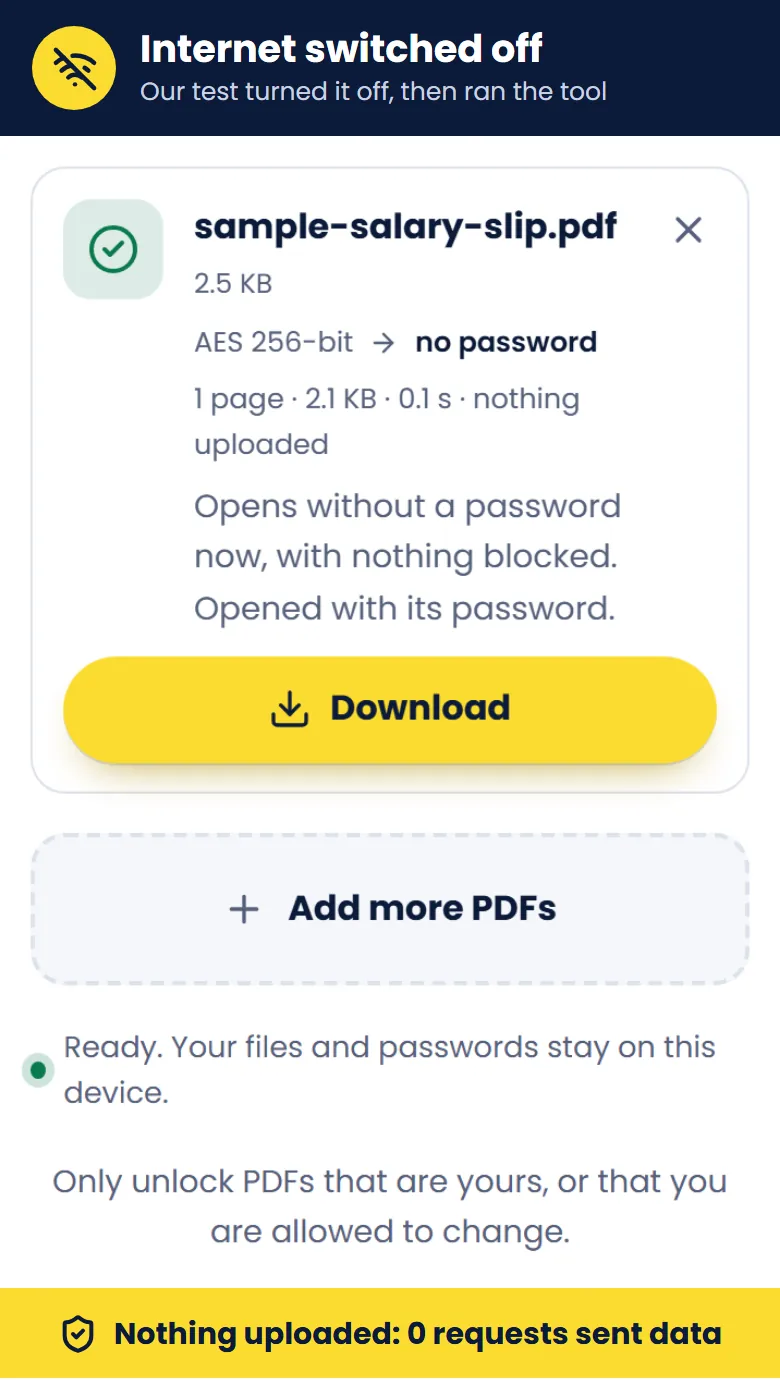
Unlock PDF, free and private: remove the password from a PDF you can open, and lift print and copy blocks.
Open Unlock PDF